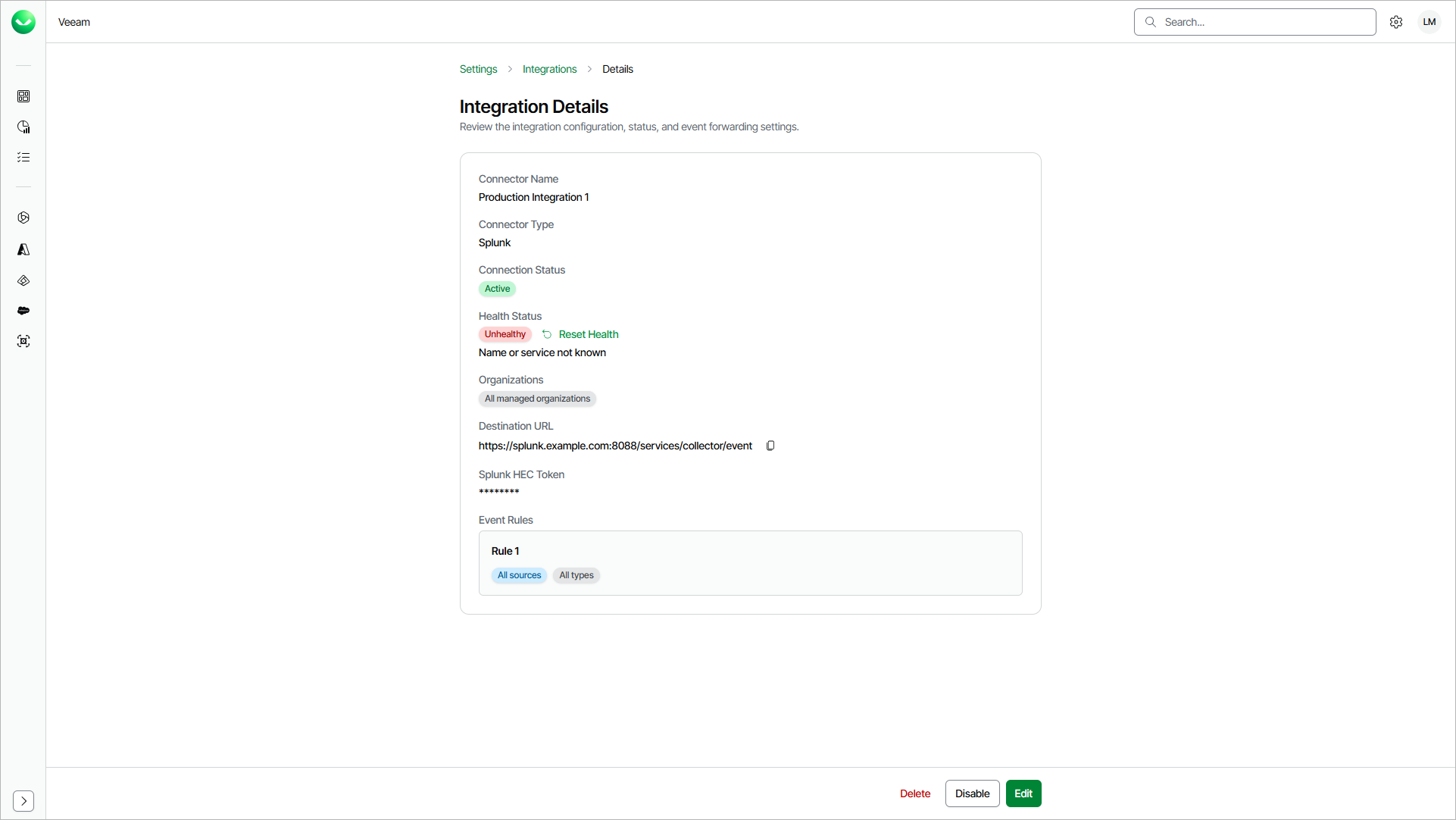
Viewing Integration Details
You can review the integration configuration, status and event forwarding settings and reset the integration status.
To view integration details, do the following:
- Click the settings icon in the top-right corner.
- Select Integrations.
- On the Integrations tab, in the Actions column of the integration you want to view, click the menu icon and select Details.
Resetting Integration Health Status
When the destination returns a non-retryable error (401, 403, 404 or SSL errors), Veeam Data Cloud changes the integration status to Unhealthy and pauses event forwarding.
To reset the status, do either of the following:
- Fix the issue in Veeam Data Cloud; update credentials or destination URL. Veeam Data Cloud resets the status automatically. For details, see Editing Integrations.
- Fix the issue in the destination. Then in Veeam Data Cloud, on the Integration Details page, click Reset Health.