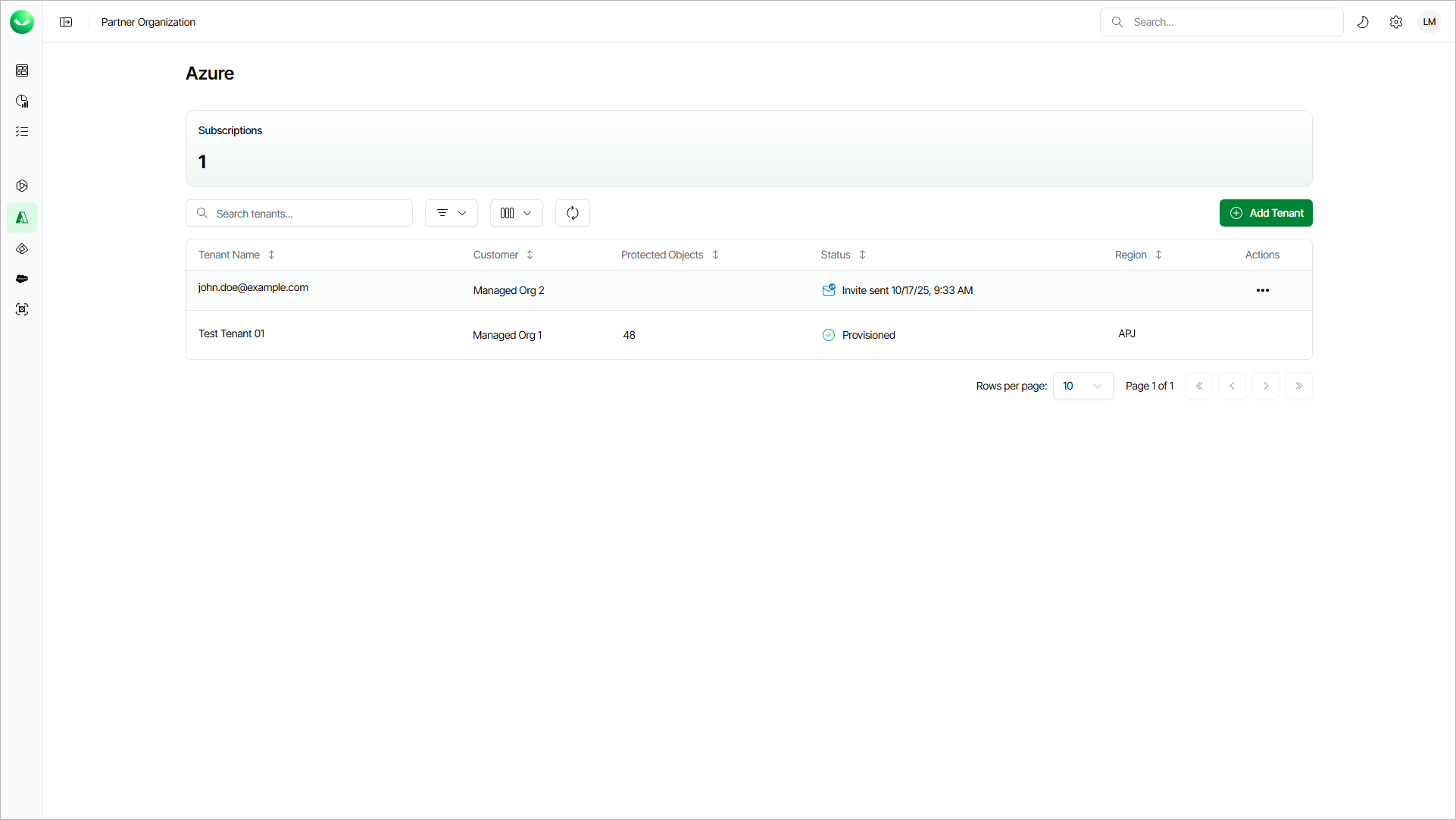
Viewing Microsoft Azure Tenants
The Azure page provides an overview of the Veeam Data Cloud for Microsoft Azure subscriptions and workload tenants of your customers.
The Active Subscription section shows the number of subscriptions your customers have assigned for this workload.
Veeam Data Cloud displays the following properties for each workload tenant:
|
Property |
Description |
|---|---|
|
Tenant Name |
Name that you specified when adding the tenant. If the tenant status is Invite Sent, this property shows the email address to which you sent the invitation. |
|
Customer |
Customer organization where the tenant is created. |
|
Protected Objects |
Total number of Azure resources that Veeam Data Cloud backs up in this tenant. |
|
Status |
Current status of the tenant. For details, see Tenant Statuses. |
|
Region |
Region where Veeam Data Cloud processes and stores backed-up data. |
Each workload tenant can have one of the following statuses:
|
Status |
Description |
|---|---|
|
Provisioning |
Veeam Data Cloud is provisioning a new tenant with necessary backup infrastructure after you completed the Add Azure Tenant wizard. |
|
Provisioned |
The infrastructure for your tenant is ready, and you can manage your tenant. To manage a tenant, your account must have the Azure:Administrator role. |
|
In Progress |
Veeam Data Cloud is automatically retrying tenant provisioning after a temporary issue. No action is required. If the issue is not resolved, the tenant status changes to Provisioning Failed. |
|
Pending Action |
Tenant provisioning requires attention, typically because Veeam Data Cloud does not have sufficient permissions in your Azure tenant. Veeam Data Cloud sends an email notification with issue details and automatically retries the operation at regular intervals while you resolve the issue. If the issue is not resolved, the tenant status changes to Provisioning Failed. |
|
Provisioning Failed |
The infrastructure deployment did not succeed after automatic retries. To resolve the issue, submit a support case. |
|
Invite Sent |
You sent an email with an invitation to add a tenant to your customer and the customer has not added the tenant yet. The status also indicates the date when the invitation was sent. You can resend, edit or cancel the invitation. For details, see Managing Invitations. |