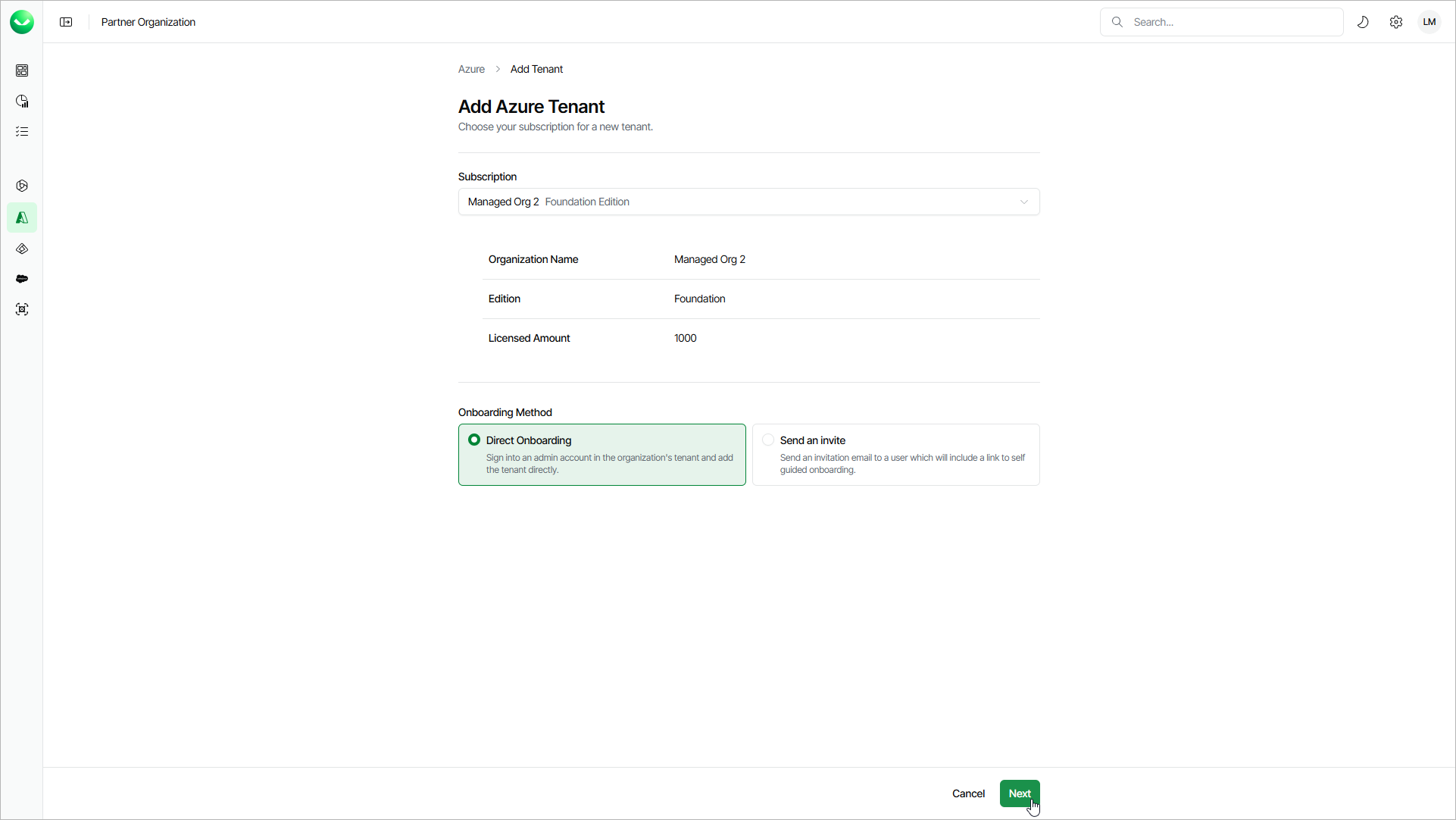
Step 1. Launch Add Azure Tenant Wizard
To launch the Add Azure Tenant wizard, do the following:
- To open the list of Azure tenants, click Azure on the left.
- Click Add Tenant.
- On the Add Azure Tenant page, from the Subscription drop-down list, select a subscription of the customer for which you want to create a tenant.
If the necessary subscription is not in the list, request a new subscription in VCSP Pulse. For details, see Requesting Subscriptions.
- Select Direct Onboarding.
- Click Next. Veeam Data Cloud will launch the Add Azure Tenant wizard.