Enabling and Disabling Backup Copy Policies
By default, Veeam Data Cloud runs all created backup copy policies according to the specified schedules. However, you can temporarily disable a backup copy policy so that Veeam Data Cloud does not run the policy automatically. You will still be able to enable the disabled backup copy policy at any time you need.
To enable a backup copy policy, do the following:
- On the Salesforce page, click the name of the tenant you want to manage.
- To view the policies created for this tenant, select Policies on the left.
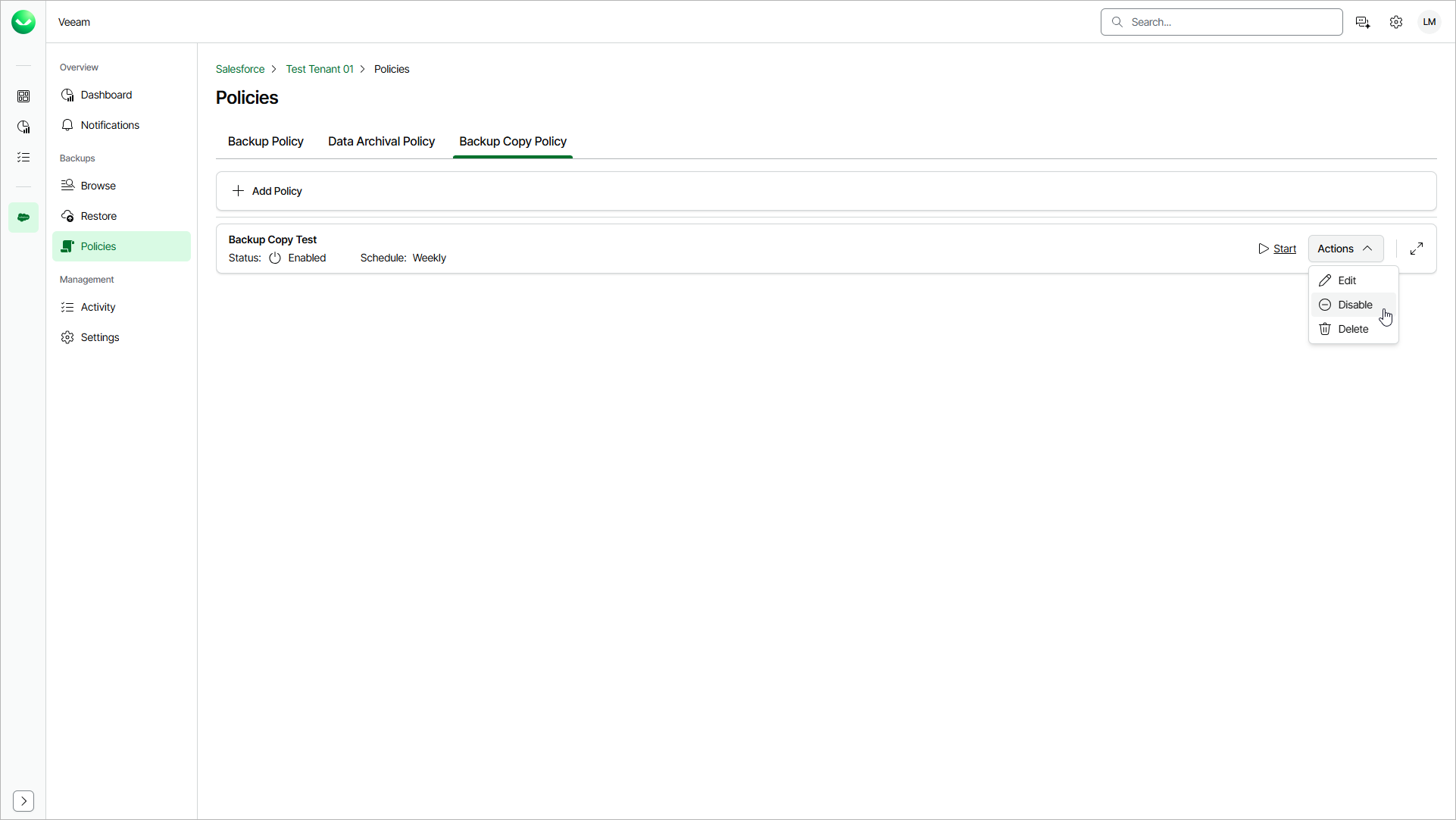
- On the Backup Copy Policy tab, find the policy you need and select Actions > Enable.
To disable a backup copy policy, do the following:
- On the Salesforce page, click the name of the tenant you want to manage.
- To view the policies created for this tenant, select Policies on the left.
- On the Backup Copy Policy tab, find the policy you need and select Actions > Disable.