Step 2. Connect to Azure Tenant
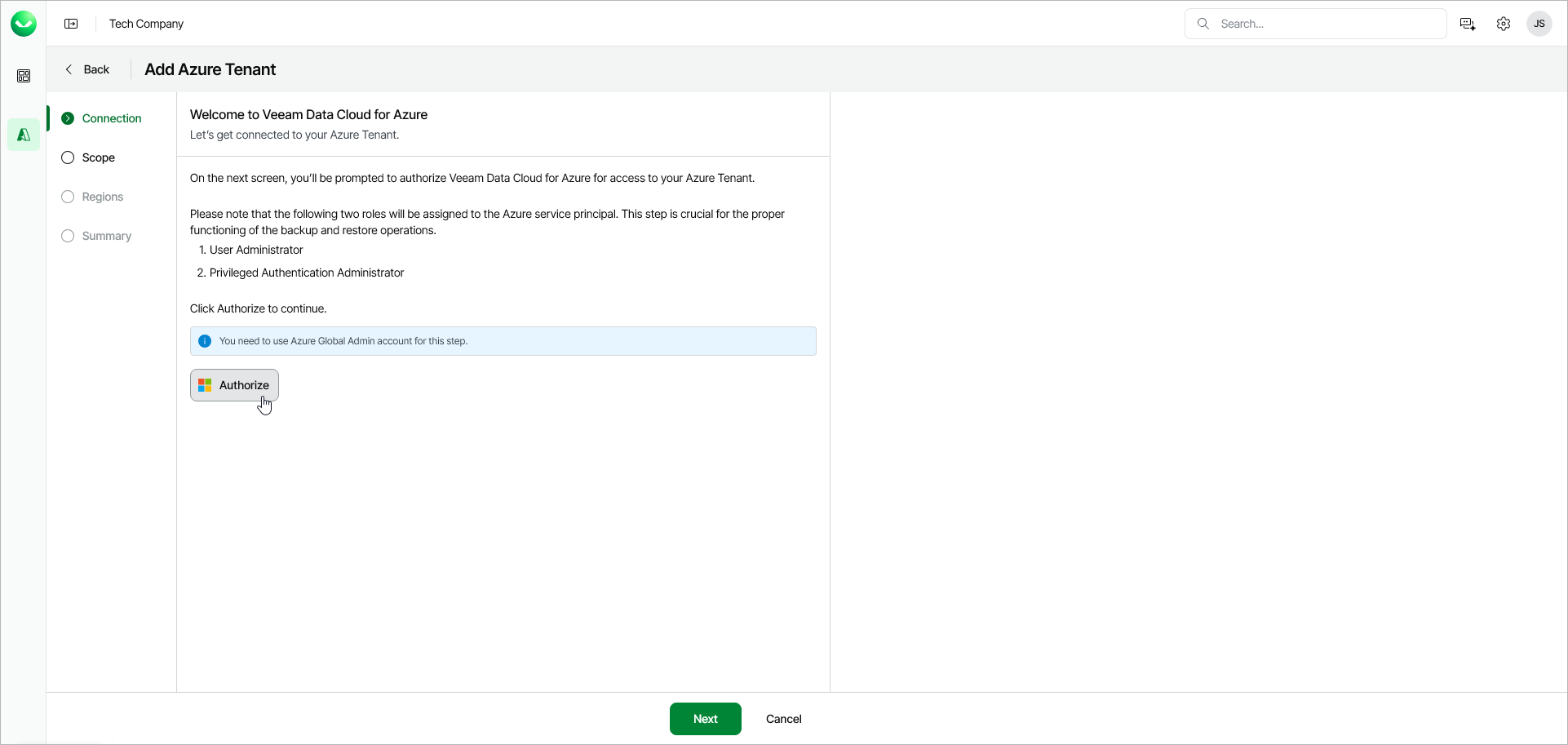
At the Connection step of the wizard, log in to your Microsoft account to authorize Veeam Data Cloud to access your Azure tenant.
|
Important |
|
Make sure to log in with a user account that has the Application Administrator or a more privileged role. For more information about this role, see Microsoft documentation. |
To authorize the access, click Authorize and log in to your Microsoft account.
|
Note |
|
During authorization, you grant Veeam Data Cloud three Microsoft Entra API permissions: Access Azure Resource Manager as organization users, Sign in and read user profile and Read all applications. These permissions are required only for onboarding and later service account edits, such as adding subscriptions or assigning permissions. |
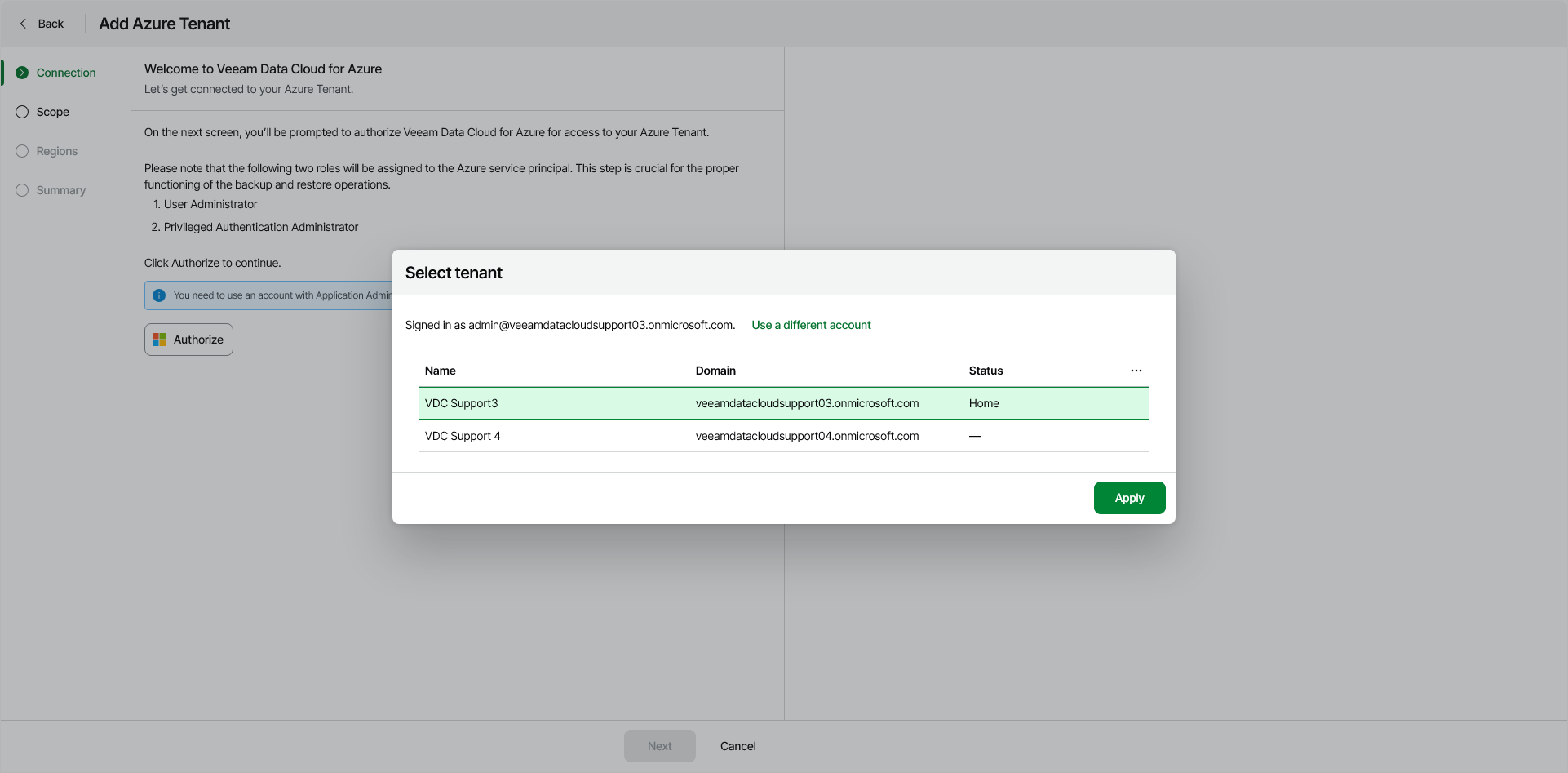
If your account has administrative access to more than one Azure tenant, Veeam Data Cloud displays a list of available tenants. Select the tenant to which you want to connect and click Apply.
After you authorize access, Veeam Data Cloud creates an Azure application that will act as a service principal in your Azure tenant. Veeam Data Cloud uses this service principal to protect your Azure resources.