Step 1. Launch Intune RBAC Roles Wizard

To launch the Restore Intune RBAC Roles wizard, do the following:

  1. On the Entra ID page, click the name of the tenant you want to manage.
  2. Select Objects.
  3. Make sure that the Intune RBAC Roles tab is selected. If the tab is not displayed on the page, click More and select Intune RBAC Roles.
  4. In the list of objects, select those you want to restore.

Tip

Consider the following:

  • To find an objects by its display name, you can use the search field.
  • To show more object properties, click the menu icon and select the properties you want to show.
  • To filter objects based on whether they are enabled, disabled or report only, click Filter and select the required values.
  • To export the list of objects for future references and imports, click Export and select the format in which you want to save the list. Veeam Data Cloud will export all backed-up objects and their properties that can be shown in the restore window.
  1. To launch the restore wizard, click Restore
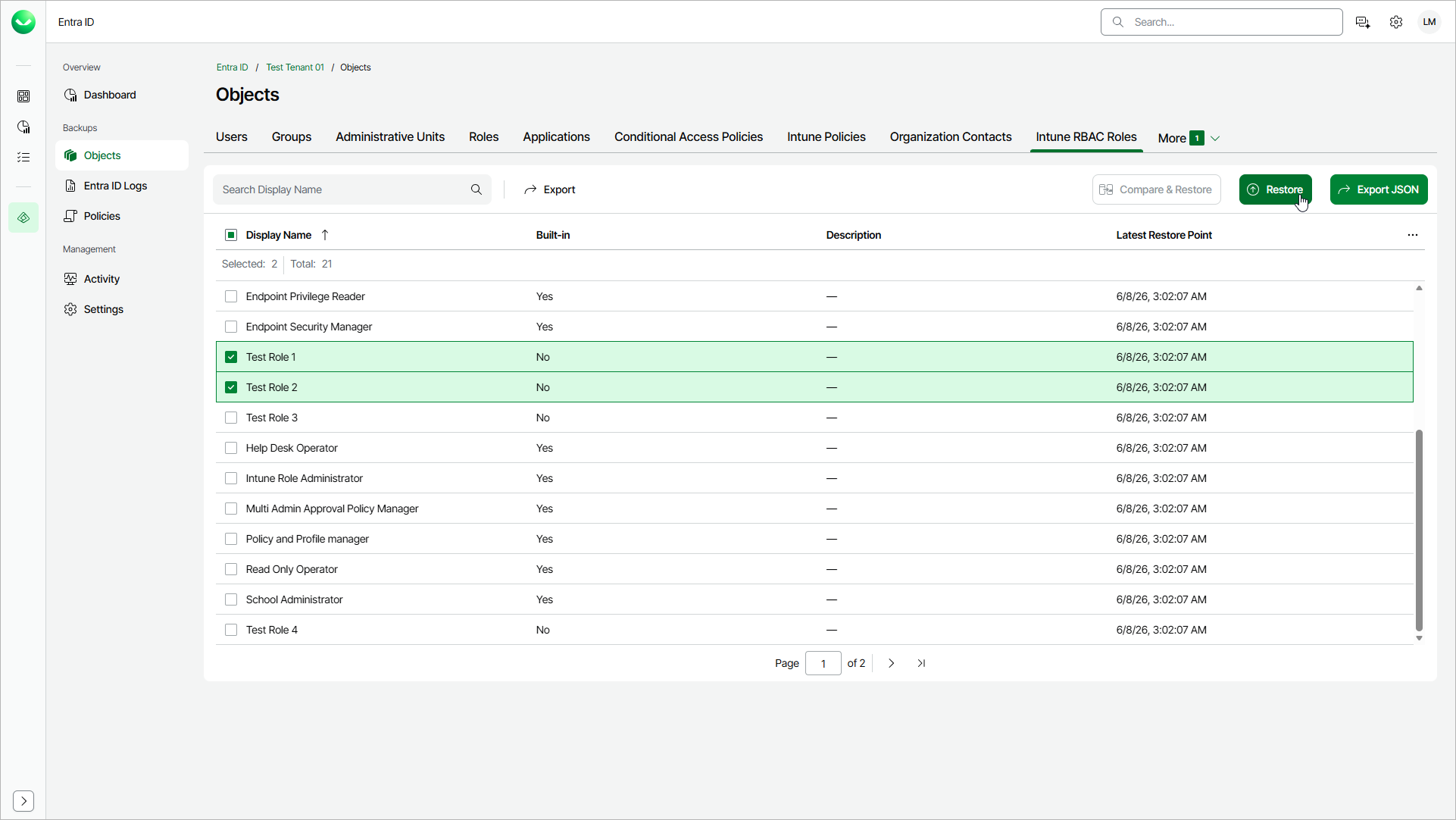
Launching Restore Applications Wizard