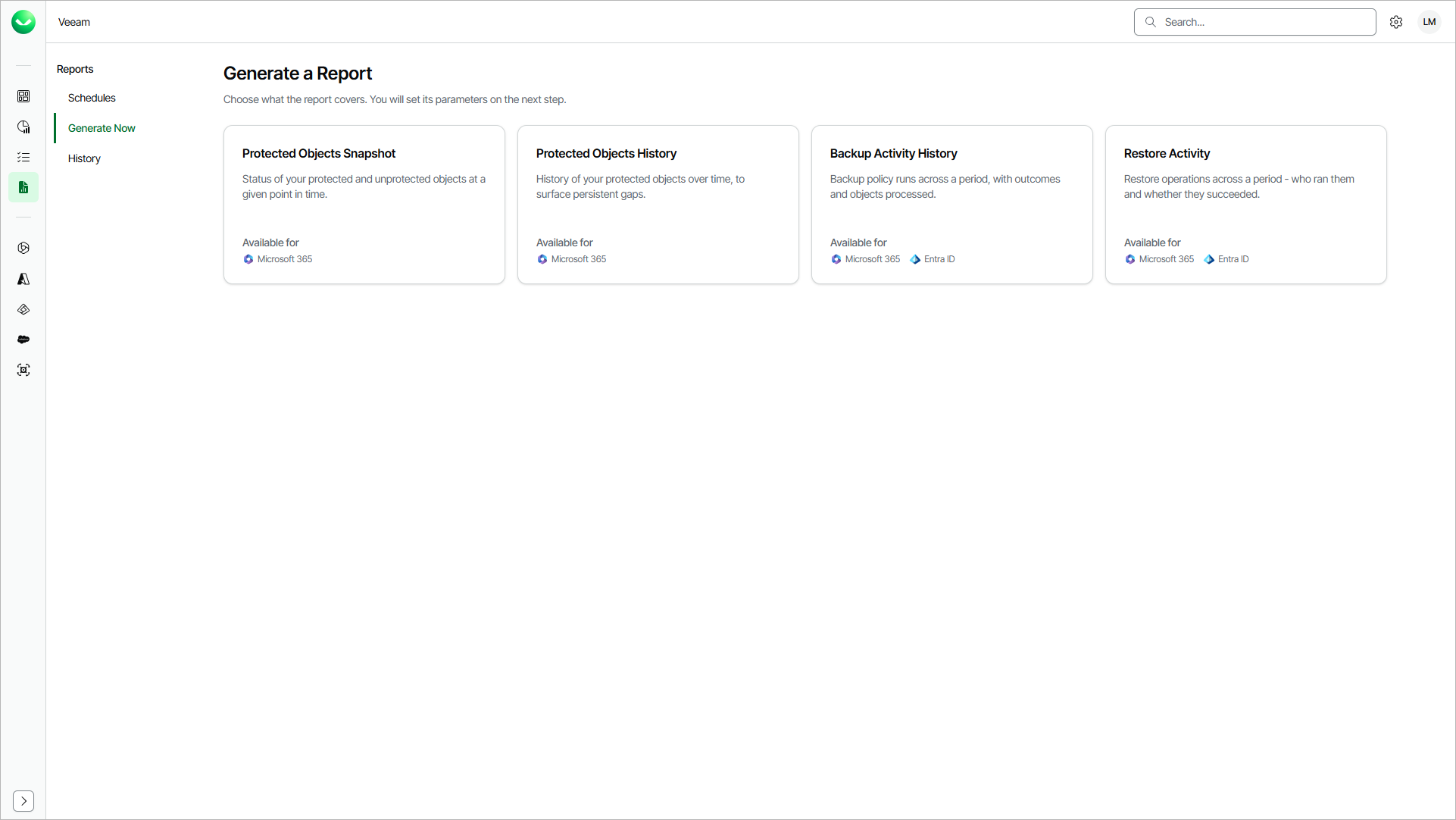
Organization Reports
Veeam Data Cloud allows you to generate reports on the protection status of workload objects and on backup and restore activity in your organization. The set of available reports and report parameters depends on the workload. You can generate reports on demand, schedule reports to be sent to recipients by email, and view the history of all reports generated in your organization.
To work with reports, use the following pages in the Reports section:
- Click Generate Now to generate a report on demand. You select the report type, specify the report parameters and preview the report before you generate it. For details, see Generating Reports.
- Click Schedules to create and manage reports that run on a schedule and are sent to the specified recipients. For details, see Scheduling Reports.
- Click History to view all reports generated in your organization, including scheduled reports, reports generated on demand and exported reports. For details, see Viewing Report History.
Available Reports
The following reports are available for Veeam Data Cloud organizations.
|
Report |
Description |
Supported Workloads |
|---|---|---|
|
Protected Objects Snapshot |
Shows the status of protected and unprotected objects at a given point in time. |
|
|
Protected Objects History |
Shows the protection history of objects over a time period to help you identify persistent protection gaps. |
|
|
Backup Activity History |
Shows backup policy runs over a time period, including the run results and the number of processed objects. |
|
|
Restore Activity |
Shows restore operations over a time period, including the users who performed the operations and the operation results. |