Viewing Data Seeding Sessions
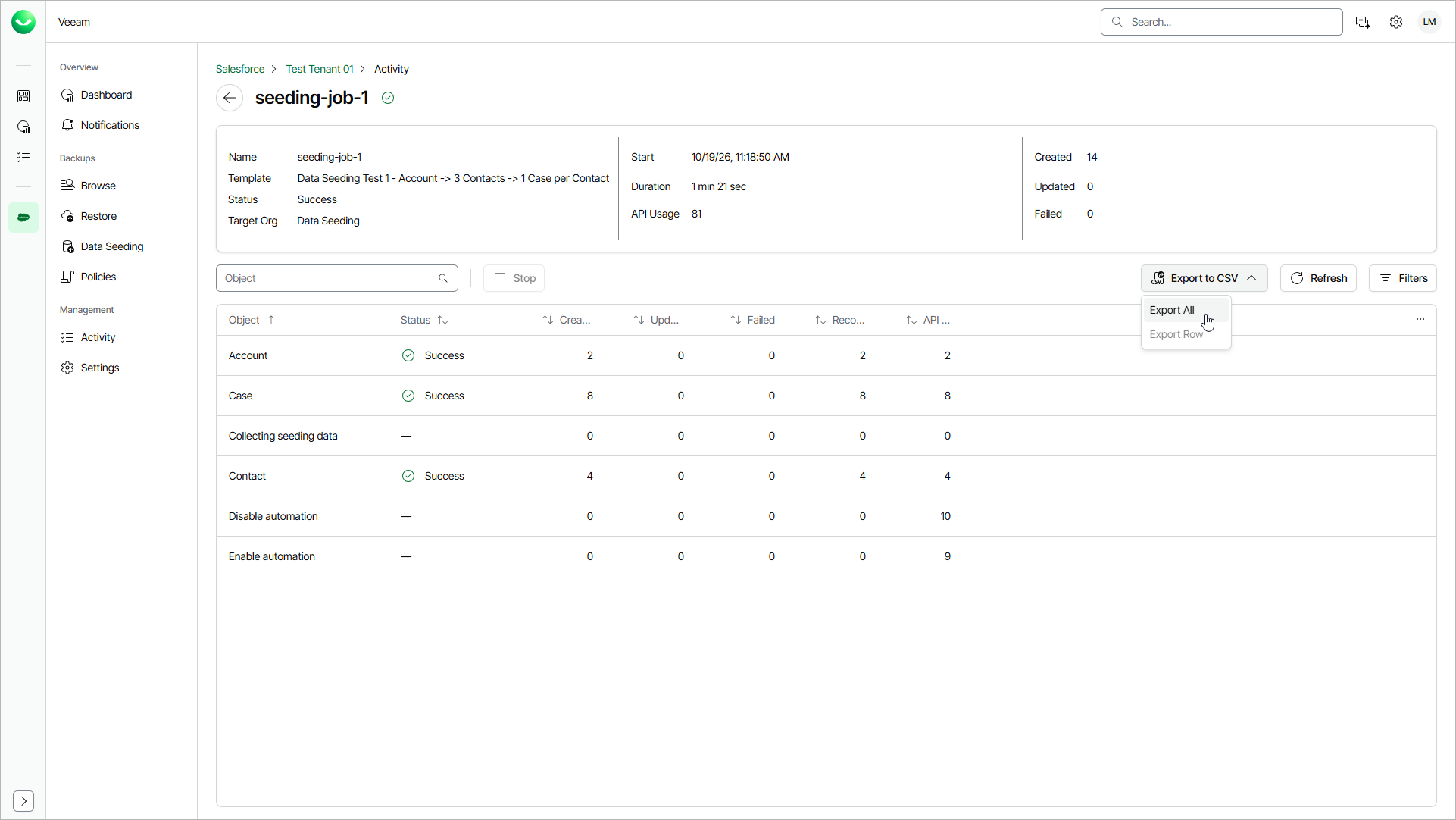
To perform a data seeding job, Veeam Data Cloud starts a new session. You can check the statistics of all running and completed data seeding sessions.
To view the list of data seeding sessions, do the following:
- On the Salesforce page, click the name of the tenant you want to manage.
- Select Activity.
- Select the Data Seeding Sessions tab.
To view session details, click the link in the Status column.
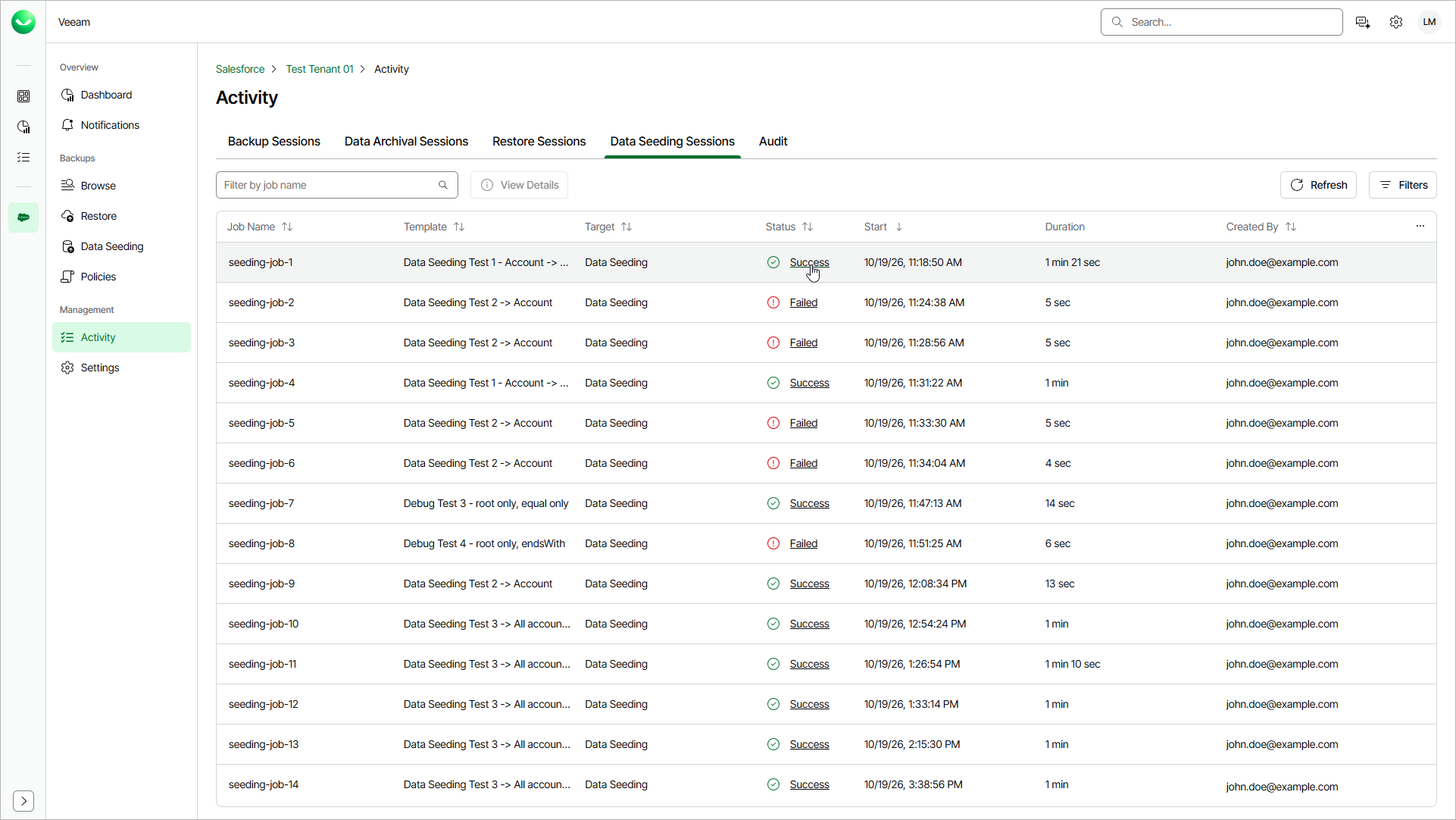
On the session page, Veeam Data Cloud displays the session summary and the processing statistics for each Salesforce object included in the data seeding template. The summary includes the job name, the template, the status, the target organization, the start time, the duration, the number of API requests used by the session and the number of created, updated and failed records. In addition to Salesforce objects, the list contains the service operations that Veeam Data Cloud performs during the session, such as collecting seeding data and disabling and enabling automations in the target organization.
To export the processing statistics as a CSV file, click Export to CSV and select Export All to export statistics for all objects, or select an object in the list and then select Export Row. The file will be downloaded to your local machine.