This is an archive version of the document. To get the most up-to-date information, see the current version.
Step 2. Select VM Replicas to Fail Back
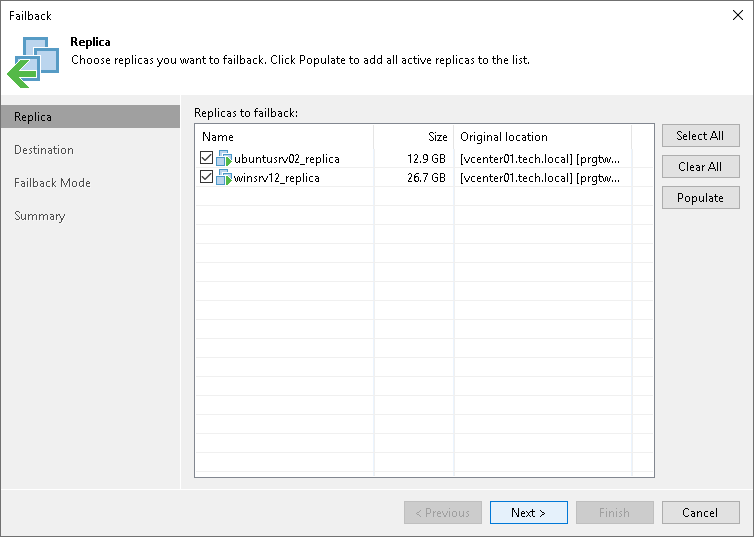
At the Replica step of the wizard, select replicas from which you want to fail back.
To update the list of replicas that are ready for failback (replicas in the Failover state), click Populate.