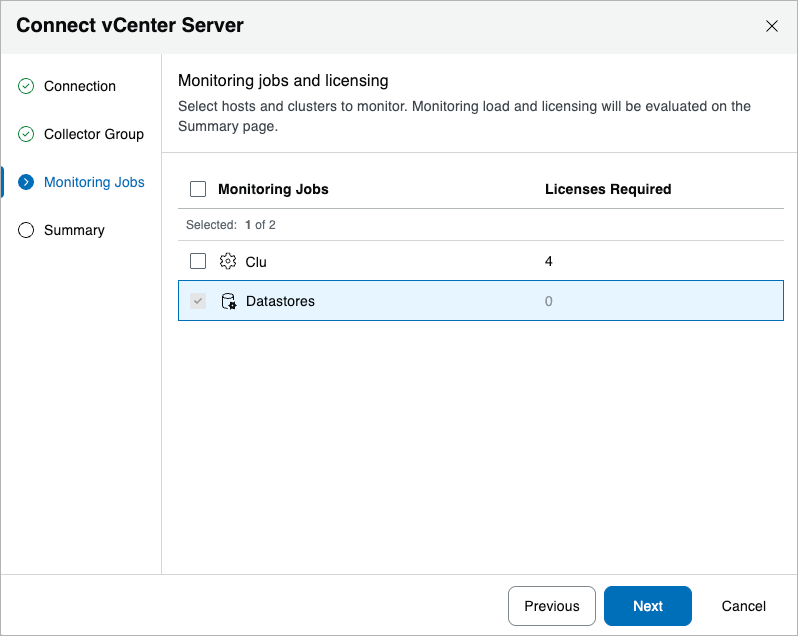
Step 4. Choose Hosts and Clusters
At the Monitoring Jobs step of the Connect vCenter Server wizard, select hosts and clusters that will be monitored. For a cluster or host to be displayed in the Monitoring Jobs list, it must be added to the vCenter Server. For more information oh how to add cluster and hosts, see the VMware Online Documentation.
By default, each vSphere cluster or host equals one job. There will also be a job for all datastores in this vCenter Server, and a placeholder for future jobs to show where new clusters added to this vCenter Server will be placed, as and when discovered. In this example, there are 2 existing clusters in the vCenter Server.