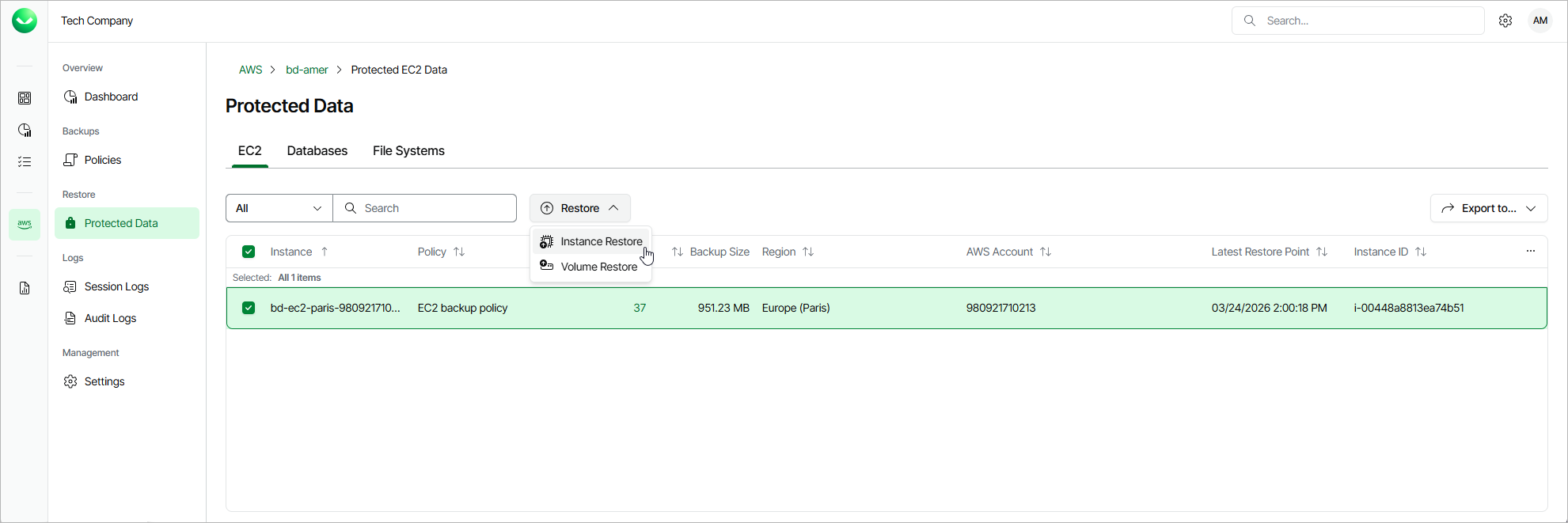
Step 1. Launch Instance Restore Wizard
To launch the Instance Restore wizard, do the following.
- On the AWS page, locate a tenant that has access to resources that you want to restore, and click Manage in the Actions column.
- On the tenant administration page, navigate to Protected Data > EC2.
- Select the EC2 instance that you want to restore, and click Restore > Instance Restore.
Alternatively, click the link in the Restore Points column. Then, in the window, select the Available Restore Pointse necessary restore point and click Restore > Instance Restore.
|
Note |
|
You can restore multiple EC2 instances if they belong to same AWS account only. |