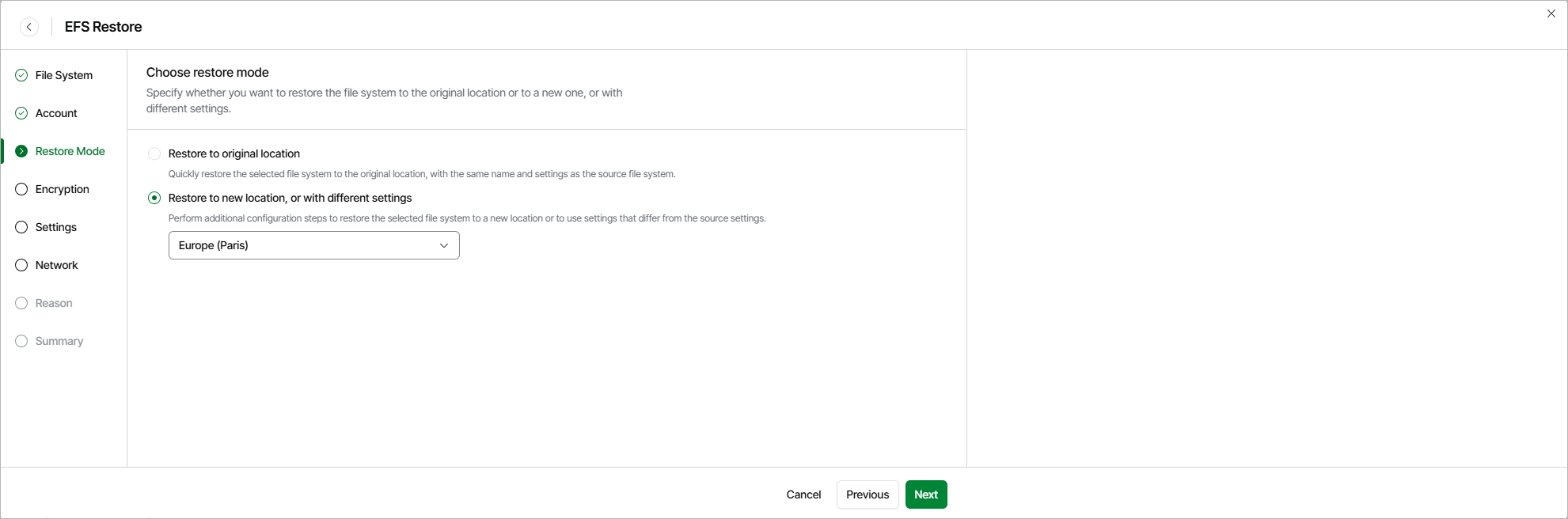
Step 4. Choose Restore Mode

At the Restore Mode step of the wizard, choose whether you want to restore the selected EC2 instance to the original or to a custom location. If you select the Restore to new location, or with different settings option, specify the target AWS Region where the restored EC2 instance will operate.

Important

  • If any of the restore options are not available, make sure that the selected restore points meet all the requirements listed at step 2 of the wizard.
  • [Applies only if you select the Restore to new location, or with different settings option] If you restore EC2 instances from image-level backups, the list of available regions will contain the source region only.
  • Veeam Data Cloud for AWS does not support restore to the original location if the source EC2 instance is still present in the location and stop protection or termination protection are enabled for the instance.

For more information on limitations and considerations, see Before You Begin.

Choose Restore Mode