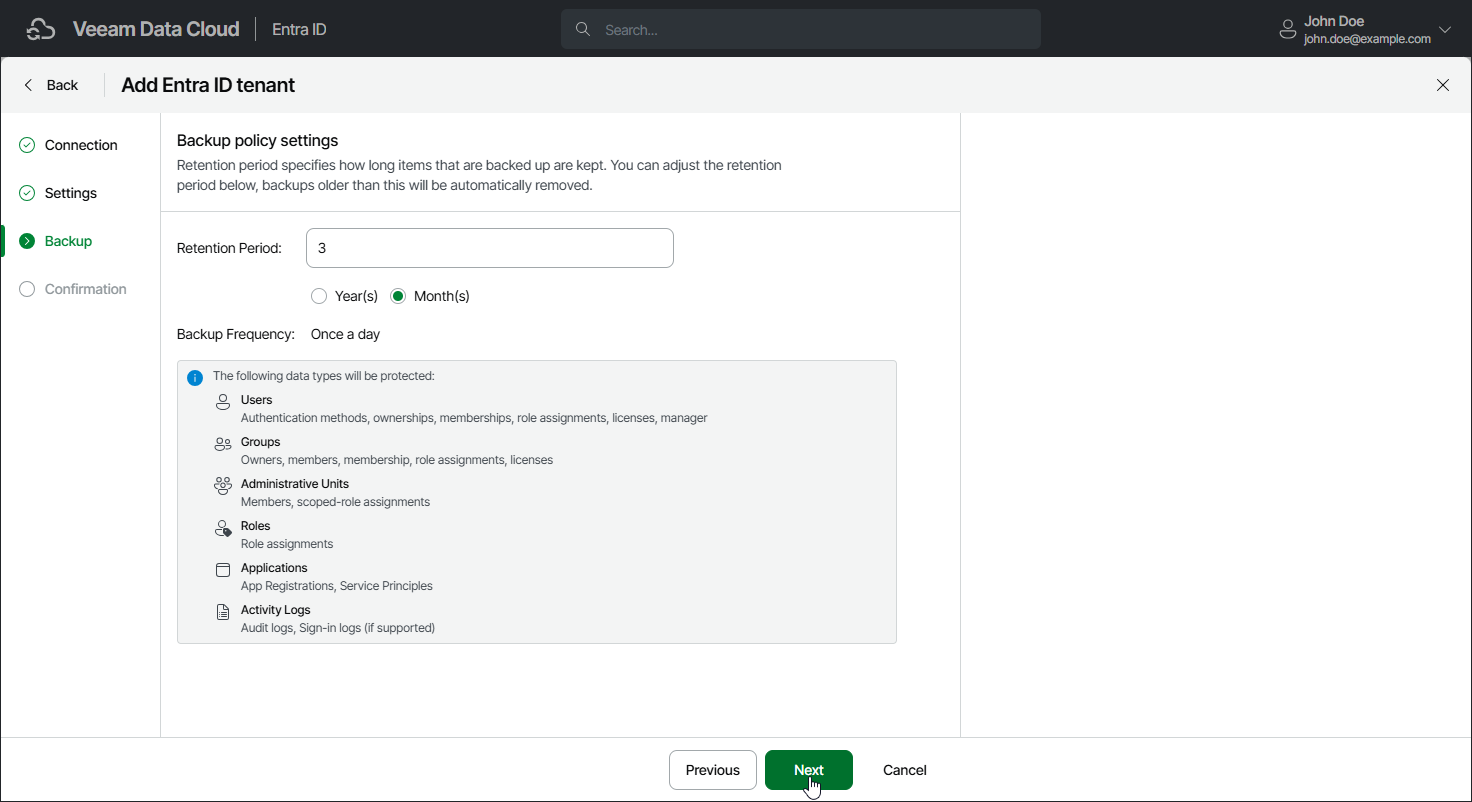
Step 4. Specify Backup Policy Settings
At the Backup step of the wizard, specify the following:
- In the Retention Period field, specify a retention period for which Veeam Data Cloud will keep backups before they are deleted. The maximum value is 99 for both months and years.
You can increase the retention period later. For details, see Increasing Retention Period.
- In the Additional Resources to Protect section, you can allow Veeam Data Cloud to back up the following Entra ID objects:
- To allow Veeam Data Cloud to back up Conditional Access policies, select Conditional Access Policies.
- To allow Veeam Data Cloud to back up Microsoft Intune policies, select Intune Policies.
- To allow Veeam Data Cloud to back up Entra ID organization contacts, select Organizations Contacts.
- To allow Veeam Data Cloud to back up Entra ID devices, select Devices.
- To allow Veeam Data Cloud to back up Microsoft Intune RBAC roles, select Intune RBAC Roles.
You can also enable these options later. For details, see Settings. After you enable backup of additional objects, you cannot disable it.
If you allow Veeam Data Cloud to back up additional Entra ID resources, Veeam Data Cloud will automatically assign required permissions to the Microsoft Entra service principal that allows Veeam Data Cloud to back up and restore your Entra ID objects and logs. For details on required permissions, see Permissions.