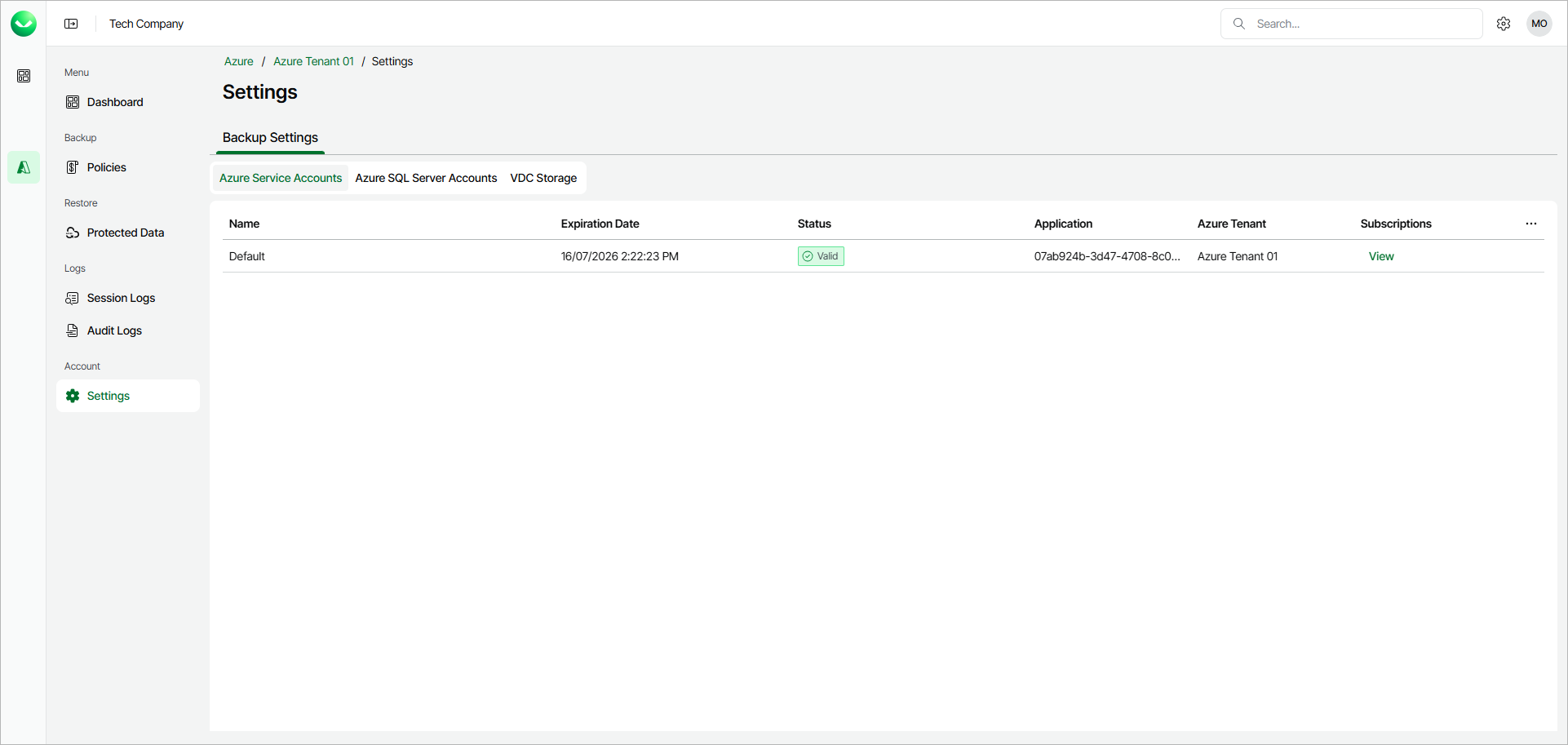
Viewing Veeam Service Account
The Veeam Service Account tab displays the following information about the Veeam Data Cloud service account:
- Azure Tenant — the name of your Azure tenant.
- Azure Tenant ID — the unique ID of your Azure tenant.
- Application ID — the ID of the Azure application.
- Status — the status of the Veeam service account. Possible values:
- Valid — displayed when the Veeam service account is fully configured and functional.
- NoSubscriptions — displayed when Veeam Data Cloud for Microsoft Azure does not have access to any subscriptions in you Azure tenant. For more information on enabling Azure subscriptions, see Editing Veeam Service Account.
- Invalid — displayed when the Veeam service account is not configured correctly. For example, the client secret is invalid or expired, or the certificate has issues.
- Updating — displayed when the Veeam service account is being updated.
- Subscriptions — click View to see the list of enabled subscriptions.