Editing Integrations
You can edit an integration to adjust its connection configuration or to add or edit event rules.
To edit an integration, do the following:
- Click the settings icon in the top-right corner.
- Select Integrations.
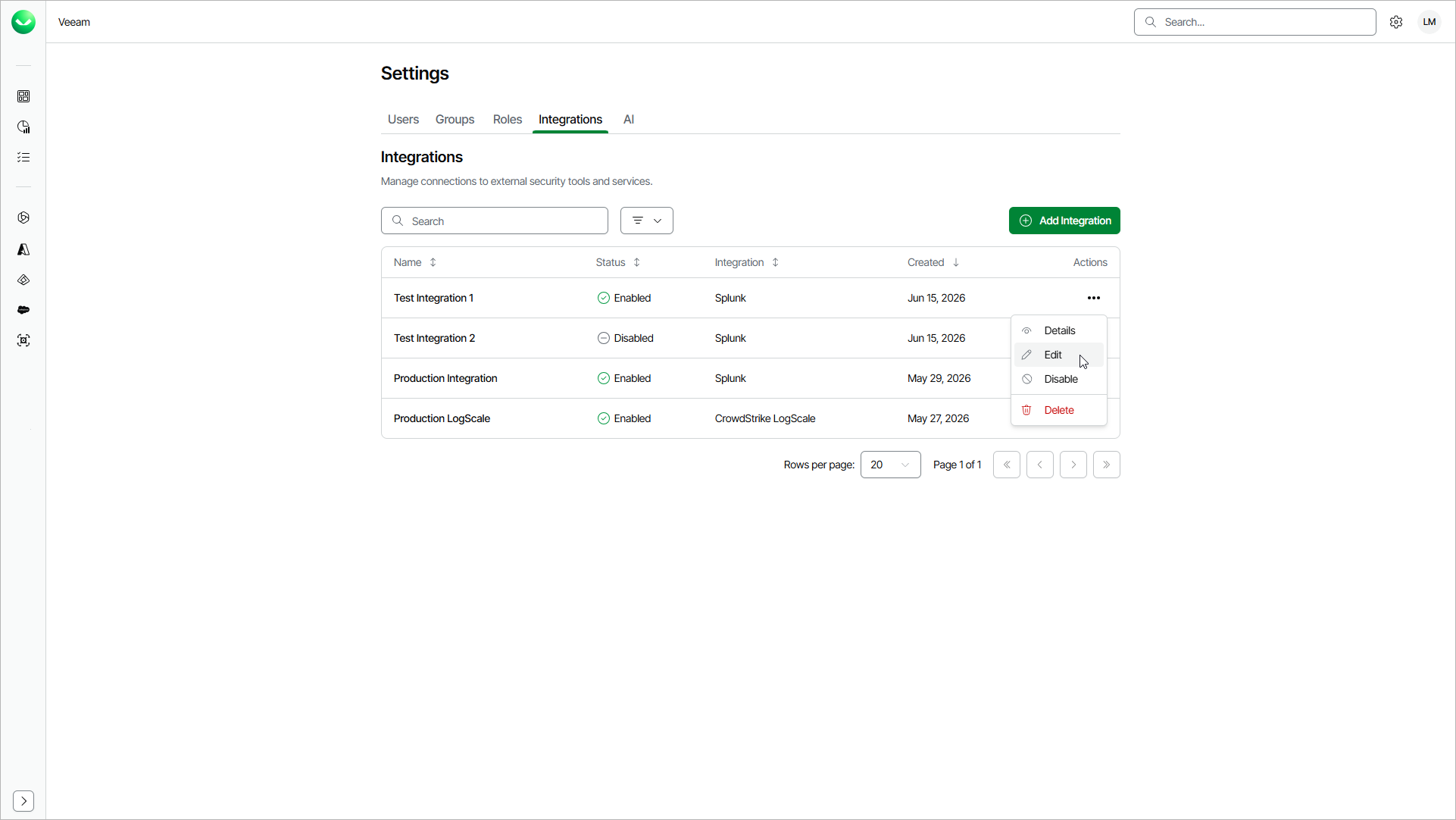
- On the Integrations tab, in the Actions column of the integration you want to edit, click the menu icon and select Edit.
- To complete the procedure, follow the instructions for the type of the integration that you want to edit: