Viewing Backup and Restore Sessions
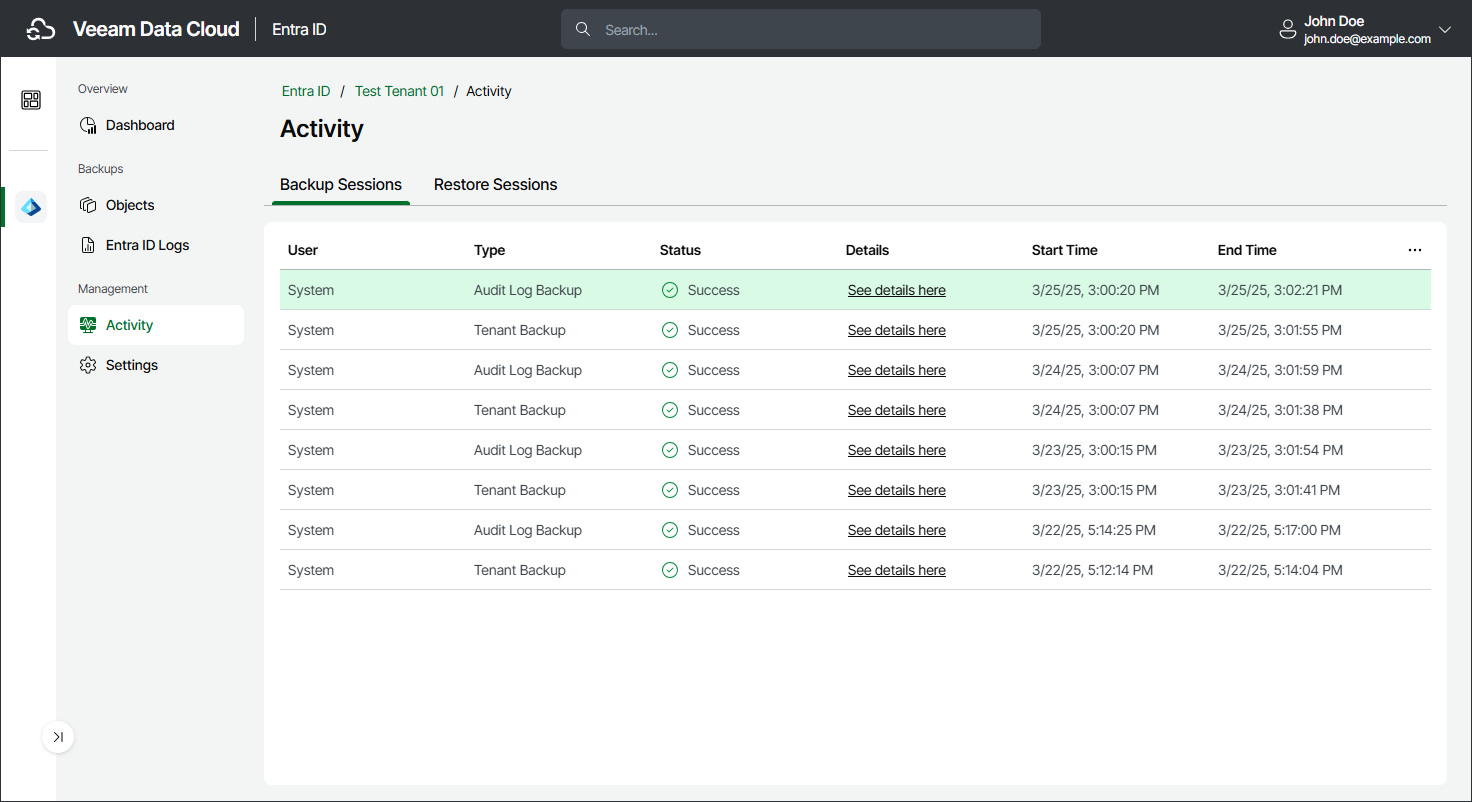
You can view the history and statuses of restore and backup sessions. For each session, you can also view a detailed session log. This may be useful when you are looking for a reason why a backup or restore session failed.
To view backup or restore sessions, do the following:
- On the Entra ID page, click the name of the tenant you want to manage.
- Select Activity.
- Select the Backup Sessions or Restore Sessions tab.
To quickly find certain sessions, you can apply quick filters by session status, type and date. To remove the filters and view all sessions, click Clear Filters.
To display a window with detailed information about session events, click See details here next to the session whose details you want to display.
|
Note |
|