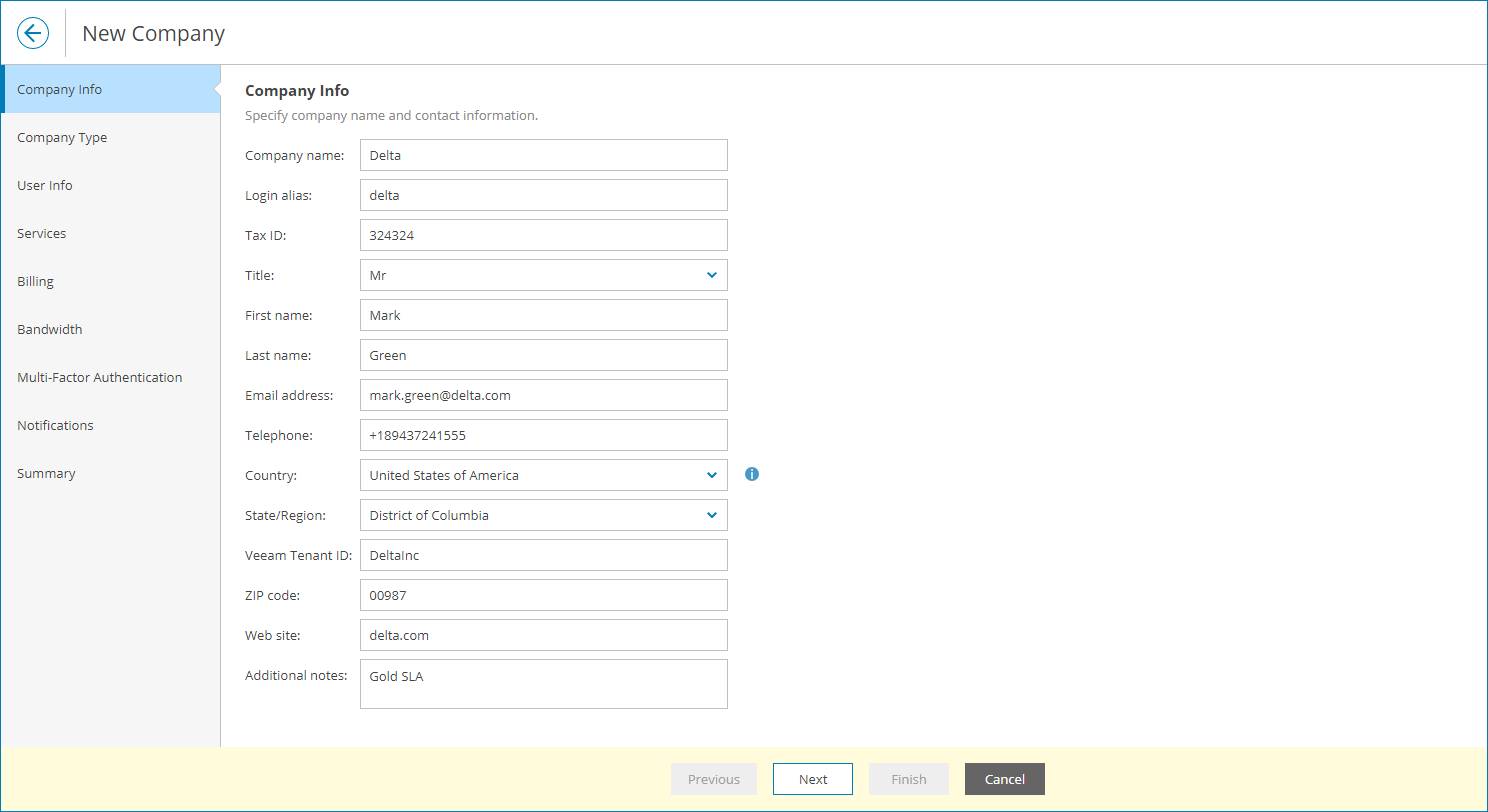
Step 2. Specify Company Details
At the Company Info step of the wizard, specify company details:
- In the Company name field, specify the company name.
- In the Company details section, provide the company legal name, full address and website.
- In the Contact section, provide full name, email address and phone number of a contact person in the company.
Veeam Service Provider Console uses this email address to send client email notifications, such as a welcome email and alarm notifications.
- In the Advanced settings section, provide additional company details:
- In the Tax ID field, type the company tax identification number.
- In the Company ID field, type a company ID that will be used to integrate Veeam Service Provider Console with 3rd party systems.
You can specify an ID that is assigned to the company in a 3rd party system, and synchronize company data between this 3rd party system and Veeam Service Provider Console through data export/import, using this ID.
- In the Veeam tenant ID field, type a tenant ID that will be used to integrate Veeam Service Provider Console with VCSP Pulse.
If you have configured VCSP Pulse integration, this field will be inactive. Veeam Service Provider Console will obtain the tenant ID automatically after you configure VCSP Pulse company mapping.
- In the Additional notes field, type any additional details or comments.
The following information is displayed in invoices:
- Specified company name
- First and last name of the contact person
- Company address
- City and ZIP code
- Country and state
- Phone number
- Tax ID
- Company ID
The specified country and region will be used to display the company on the Organizations Health map on the Overview dashboard. For details, see Overview.