Registering New Microsoft Entra Application
You can register a new Microsoft Entra application in Microsoft Entra ID. Veeam Backup for Microsoft 365 will use this application for data exchange when transferring backed-up data between different instances of Azure Blob Storage or to Azure Blob Storage Archive during backup copy jobs.
When registering a new Microsoft Entra application, Veeam Backup for Microsoft 365 automatically grants the required permissions to this application.
To register a new Microsoft Entra application, do the following:
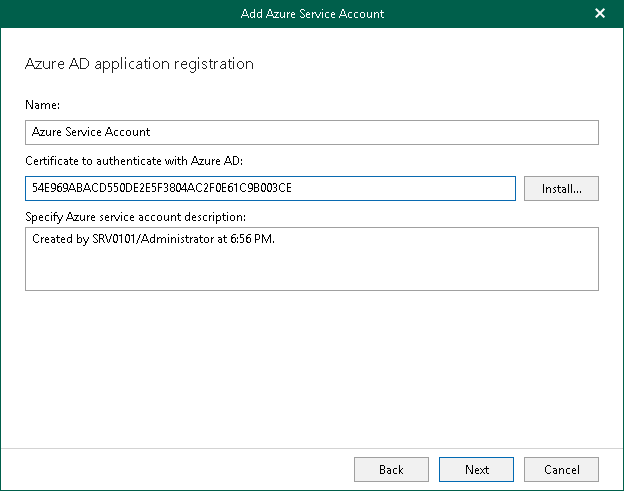
- In the Name field, enter a name that you want to use to register a new Microsoft Entra application in your Microsoft Entra ID.
- Click Install to specify a TLS certificate that you want to use for data exchange between Veeam Backup for Microsoft 365 and a Microsoft Entra application.
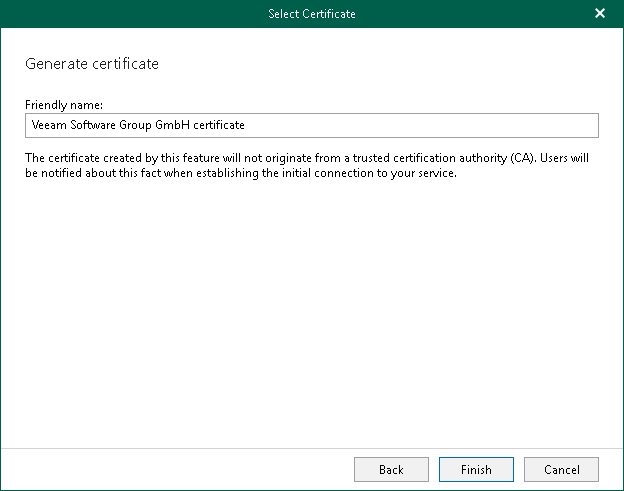
You can generate a new self-signed certificate or use an existing one. When generating a new self-signed certificate, Veeam Backup for Microsoft 365 will register it in Microsoft Entra ID automatically. Before using an existing certificate, make sure to register this certificate in Microsoft Entra ID. For more information, see this Microsoft article.
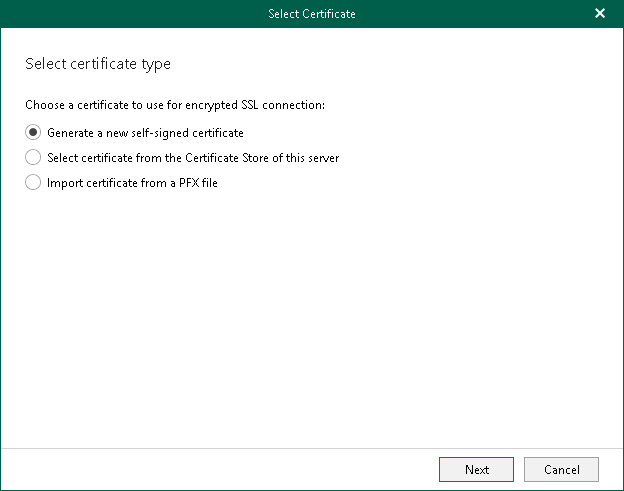
- In the Select Certificate wizard, proceed to any of the following options:
 Generate a new self-signed certificate
|
Perform the following steps:
|
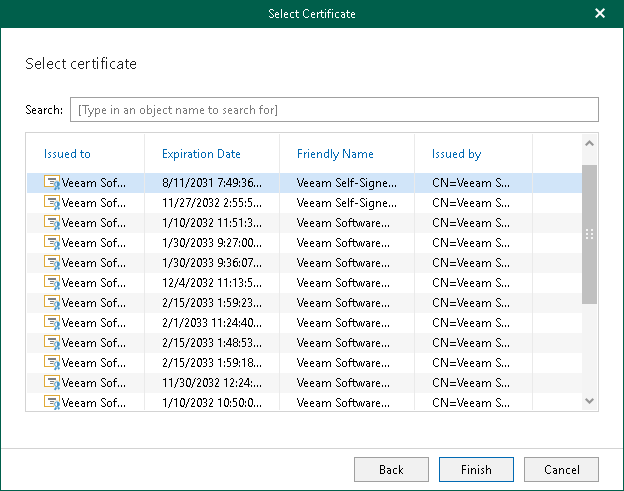
Import an existing TLS certificate from the certificate store
|
Perform the following steps:
|

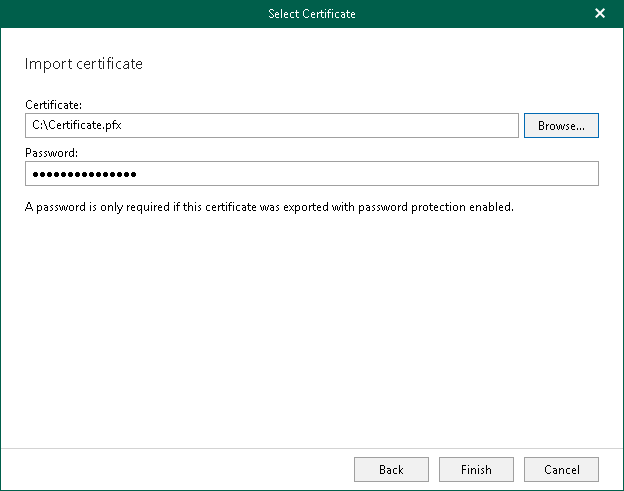
Import a TLS certificate from a file in the PFX format
|
Perform the following steps:
|

- In the Specify Azure service account description field, enter optional description.