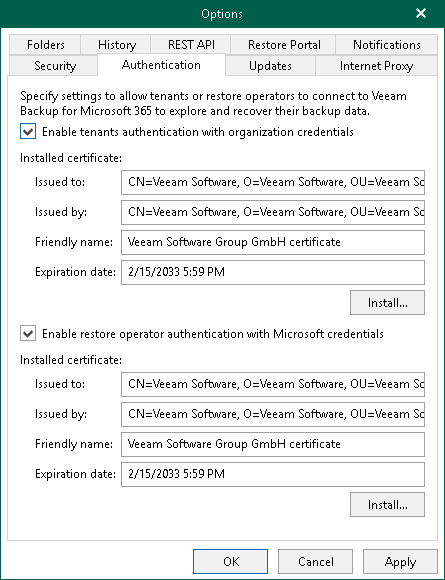
Enabling Restore Operator Authentication
Enabling restore operator authentication is required if you want to configure Restore Portal. Restore operators use Restore Portal to view and restore data from backups created by Veeam Backup for Microsoft 365 for other users, groups, sites, teams or the entire Microsoft 365 organization. To connect to Veeam Backup for Microsoft 365 and perform restore operations, restore operators authenticate to the Veeam Backup for Microsoft 365 server with their Microsoft 365 credentials.
|
Note |
|
To configure access to Veeam Backup for Microsoft 365 for restore operators from multiple tenant organizations, you must also enable tenant authentication. |
To enable restore operator authentication, do the following:
- In the main menu, click General Options.
- Open the Authentication tab.
- Select the Enable restore operator authentication with Microsoft credentials check box.
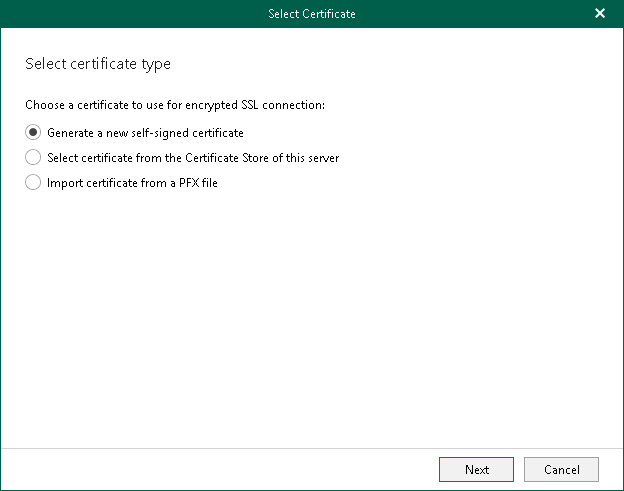
- Click Install to run the Select Certificate wizard and install the restore operator authentication certificate. Proceed to any of the following options:
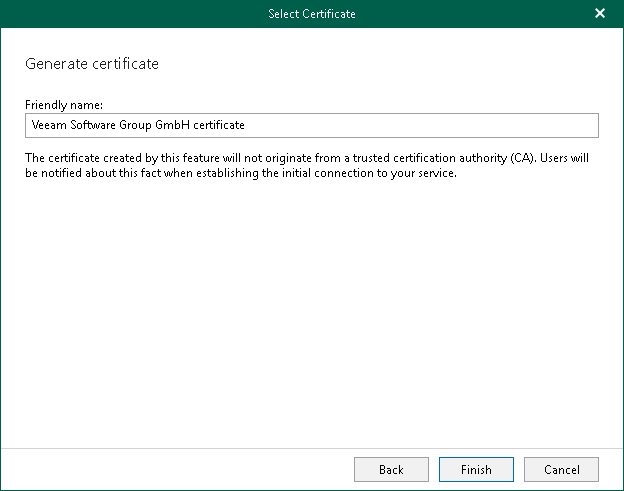
 Generate a new self-signed certificate
|
Perform the following steps:
|
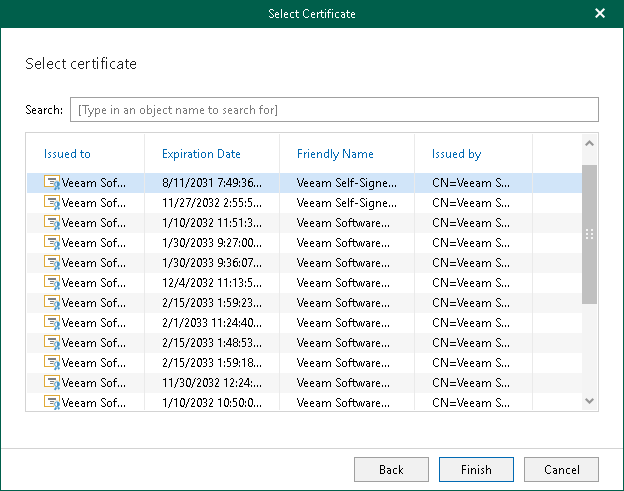
Import an existing TLS certificate from the certificate store
|
Perform the following steps:
|

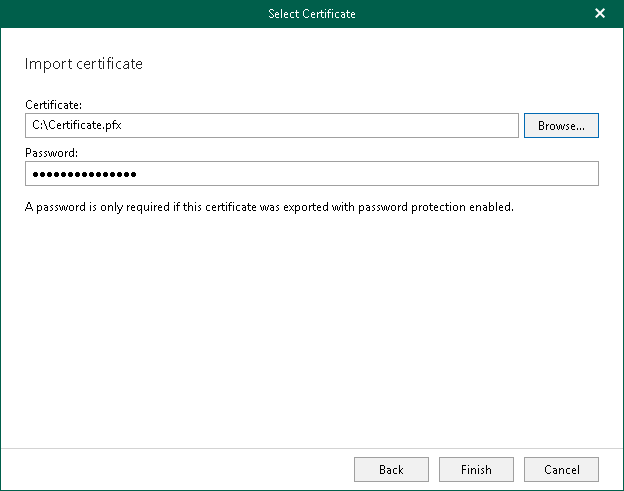
Import a TLS certificate from a file in the PFX format
|
Perform the following steps:
|

|
Note |
|
If you have installed the Veeam Backup for Microsoft 365 REST API component on a separate machine and generated a new self-signed certificate for restore operators, you must import this certificate to the Trusted Root Certification Authorities certificate store on the separate machine with REST API installed. |
- Click OK.