Viewing Remote Veeam Backup & Replication Server Details
You can view details on remote Veeam Backup & Replication and Veeam Backup Enterprise Manager servers:
- Log in to Veeam Service Provider Console.
For details, see Accessing Veeam Service Provider Console.
- At the top right corner of the Veeam Service Provider Console window, click Configuration.
- In the configuration menu on the left, click Catalog.
- Click the Veeam Backup & Replication plugin tile.
- In the menu on the left, click Backup Servers and navigate to Remote.
Veeam Service Provider Console will display a list of all client Veeam Backup & Replication servers.
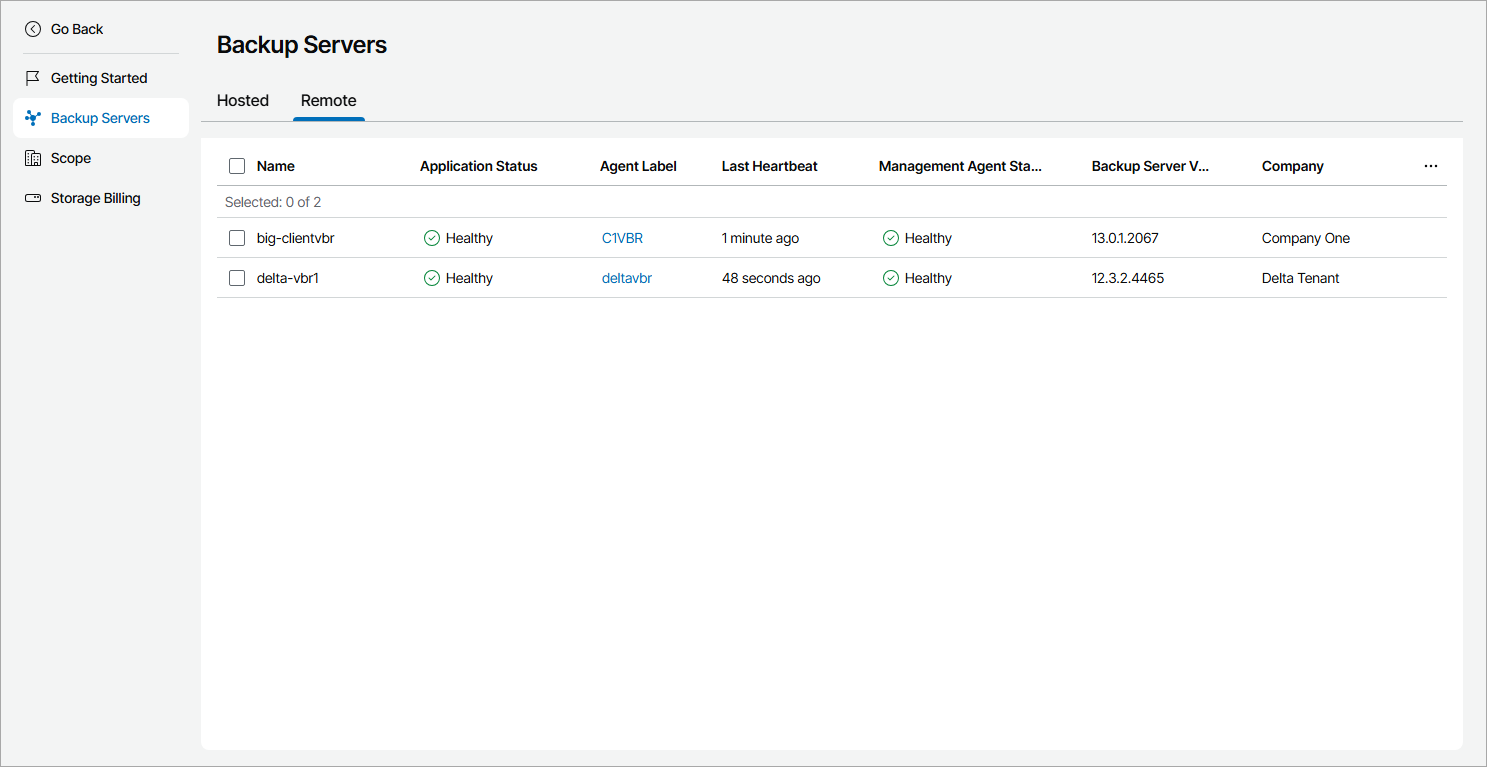
Each Veeam Backup & Replication server in the list is described with a set of properties. By default, some properties in the list are hidden. To display additional properties, click the ellipsis on the right of the list header and choose properties that must be displayed.
- Name — name of a computer on which Veeam Backup & Replication server is deployed.
- Company — name of a company to which a Veeam Backup & Replication server belongs.
- Site — name of the Veeam Cloud Connect site on which the company is registered.
- Location — name of a location to which a Veeam Backup & Replication server belongs.
- Application Status — status of the application running on a computer.
In some cases, after enabling multi-factor authentication for the Veeam Backup & Replication server, the value in this column may become Inaccessible. For details on how to resolve the issue, refer to this Veeam KB article.
- Backup Server Version — version of a Veeam Backup & Replication server and installed or available patch.
- Agent Deployment — status of the management agent deployment.
You can click a link in the Agent Deployment column to view session details of the installation procedure.
- Available Updates — update status of Veeam Backup & Replication server (Up-to-date, Upgrade available, Patch available, Manual upgrade required).
- Agent Label — label assigned to the Veeam Service Provider Console management agent deployed on a Veeam Backup & Replication server.
- Type — type of a backup server (Veeam Backup & Replication, Veeam Backup Enterprise Manager).
- Cluster Status — status of the High Availability cluster to which a Veeam Backup & Replication server belongs.
- Last Heartbeat — time period since a Veeam Service Provider Console management agent sent the latest heartbeat to Veeam Service Provider Console.
- Scheduled Updates — date and time of the scheduled Veeam Backup & Replication patching or upgrading task.
You can click a link in the Scheduled Updates column to reschedule the task, start the task immediately or cancel the scheduled task.
- Guest OS — operation system of a computer on which Veeam Backup & Replication server is deployed.
- Management Agent Status — Veeam Service Provider Console management agent status (Healthy, Warning, Error).
You can click the Error link to view error details.
- Management Agent Version — Veeam Service Provider Console management agent version.
- Upgrade File Download Status — status of the Veeam Backup & Replication upgrade file download.
You can click a link in the Upgrade File Download Status column to view the download progress or cancel the download.
- IP Address — IP address of a computer on which Veeam Backup & Replication server is deployed.