Viewing Backup Job Statistics
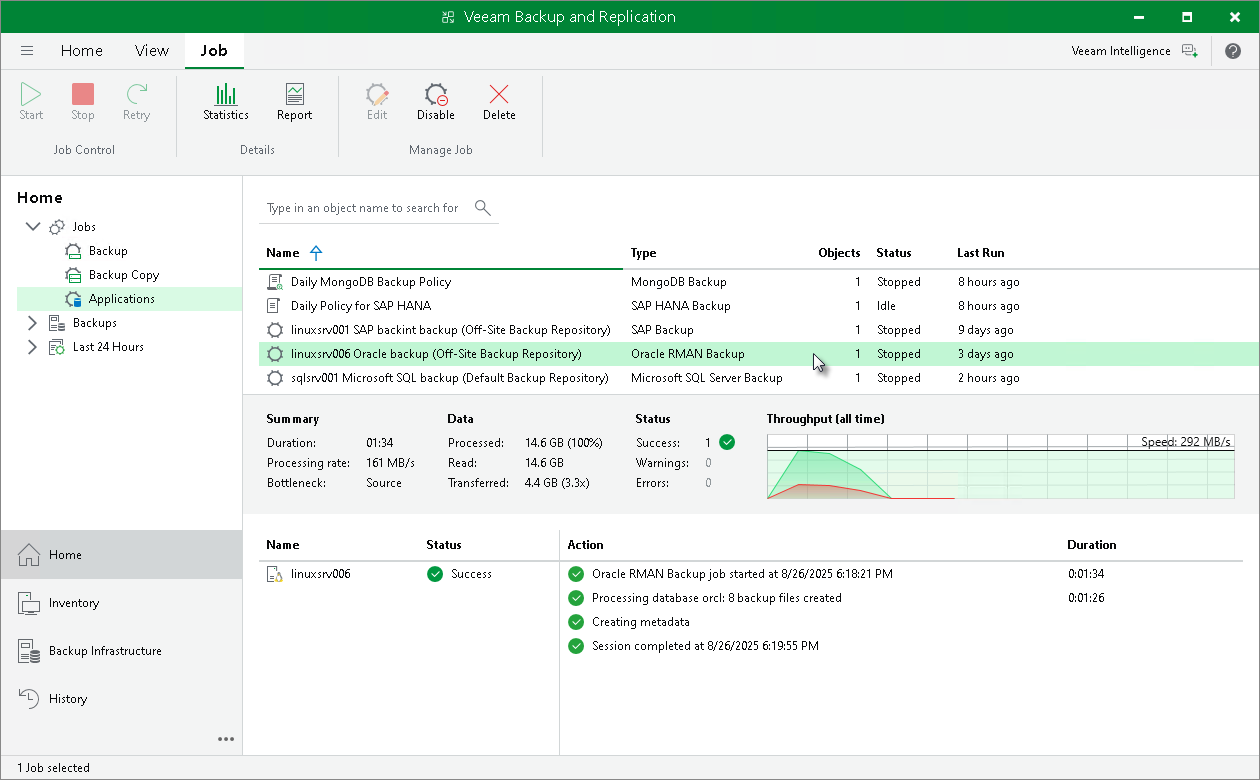
To view details of a backup job process, do the following:
- Open the Veeam Backup & Replication console.
- In the Home view, expand the Jobs node in the inventory pane and click Applications.
- In the list of jobs, select the Oracle RMAN backup job to see details of the current backup process or the last backup job session.