Rescanning Proxmox VE Server
Veeam Backup & Replication retrieves information about the Proxmox VE environment from the Proxmox VE server . However, the data synchronization process may take some time to complete. If you make any changes to the Proxmox VE environment and want the Veeam Backup & Replication console to display the changes immediately, you can rescan the Proxmox VE server manually.
To rescan the Proxmox VE server , do the following:
- Open the Backup Infrastructure view.
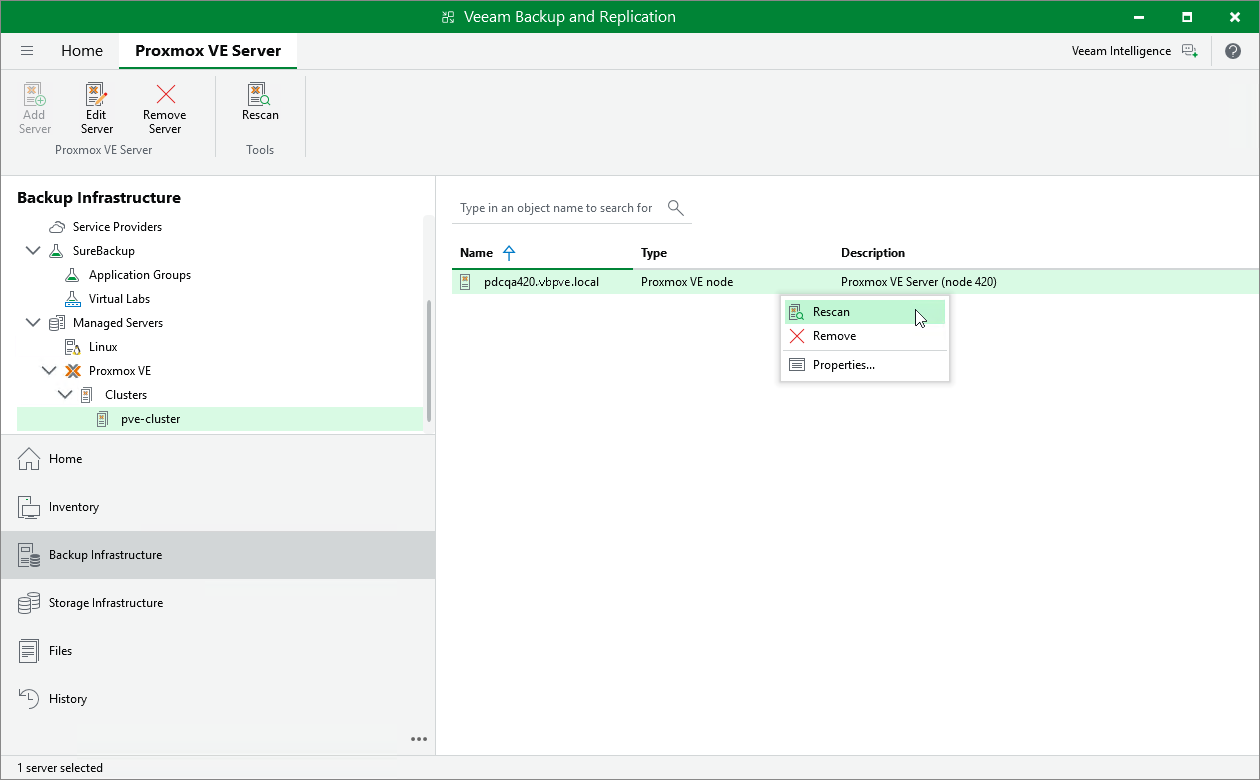
- In the inventory pane, select Managed Servers > Proxmox VE > Clusters > pve-cluster .
- In the working area, select the Proxmox VE server and click Rescan on the ribbon, or right-click the Proxmox VE server and select Rescan .