Configuring Global Retention Settings
You can configure global retention settings to specify for how long the following data will be retained by the backup appliance:
Configuring Retention Settings for Obsolete Snapshots
When you create a backup policy, you can configure a retention period for cloud-native snapshots that will be produced by this policy. However, in some cases you may need to define a specific time limit that will apply to all backup policies in order to save space in backup repositories. To do that, you can configure global snapshot retention settings to instruct the backup appliance to remove all obsolete snapshots from both the configuration database and Microsoft Azure Storage.
|
Notes |
|
To configure global retention settings for obsolete snapshots, do the following:
- Switch to the Configuration page.
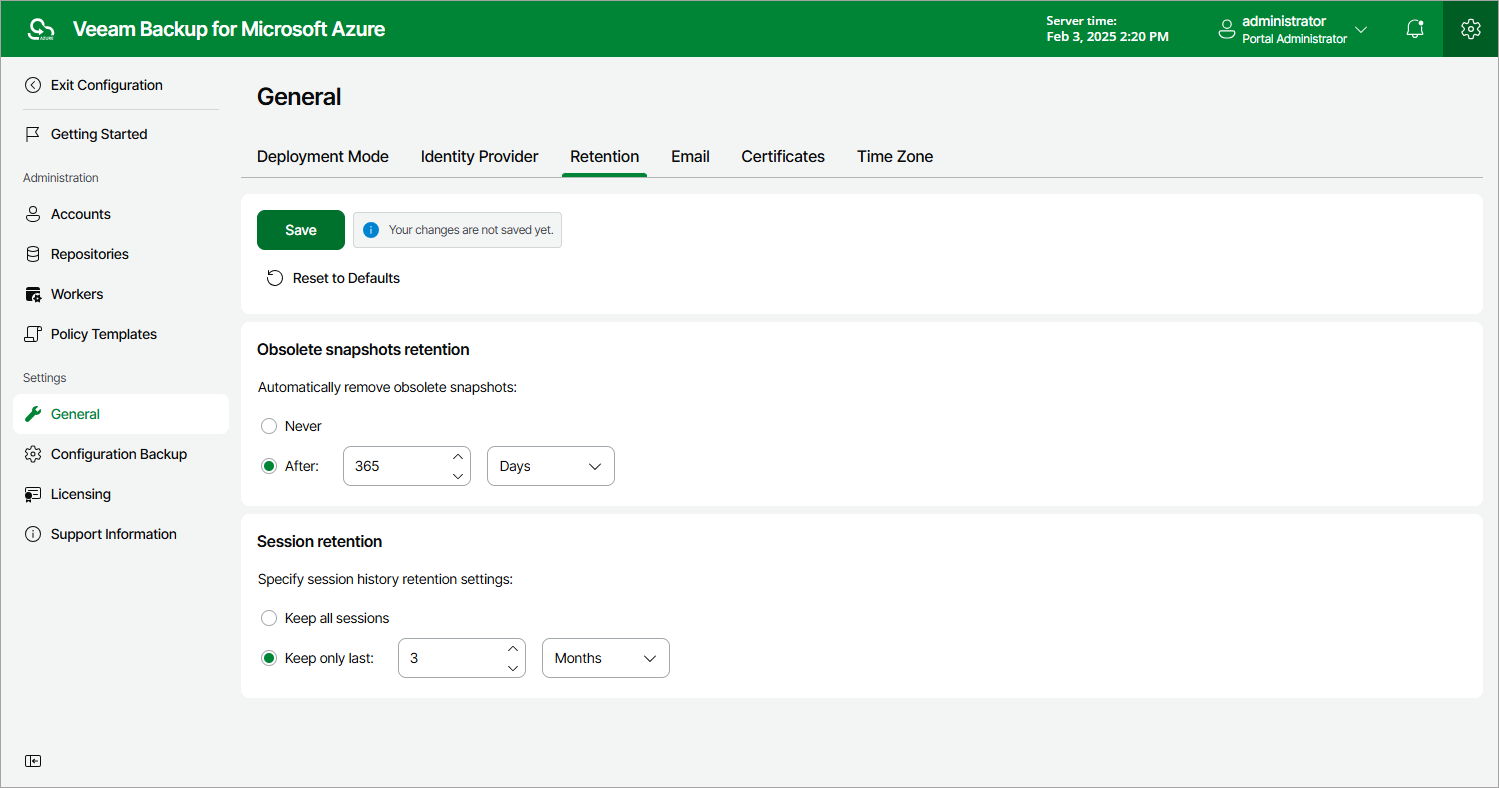
- Navigate to General > Retention.
- In the Obsolete snapshots retention section, select the After option and specify the number of days, months or years during which the backup appliance will keep obsolete snapshots in the configuration database and Microsoft Azure Storage.
The number must be between 15 and 36135 for days, between 1 and 1188 for months and between 1 and 99 for years.
- Click Save.
|
Tip |
|
Use the Never option if you do not want the backup appliance to apply any global retention settings to obsolete snapshots. In this case, the backup appliance will remove obsolete snapshots according to retention settings configured for backup policies. |
Configuring Retention Settings for Session Records
The backup appliance stores records for the login activity and all sessions of performed data protection and disaster recovery operations in the configuration database on the additional data disk attached to the backup appliance. The default retention period for the login activity records equals 3 months and cannot be modified. The session records are removed from the configuration database according to specific retention settings.
To configure retention settings for session records, do the following:
- In the Session retention section, select either of the following options:
- Select the Keep all sessions option if you do not want the backup appliance to remove session records.
- Select the Keep only last option if you want to specify the number of days, months or years during which the backup appliance will keep session records in the configuration database.
If you select this option, the backup appliance will remove all session records that are older than the specified time limit.
- Click Save.
|
Important |
|
Retaining all session records in the configuration database may overload the data disk. By default, the disk comes with 32 GB of storage capacity. If you choose not to remove sessions records at all, consider increasing the disk space to avoid runtime problems. |