Publishing Disks
Veeam Backup & Replication allows you to publish point-in-time disks, that is, to mount specific EBS volumes of backed-up EC2 instances to any server to instantly access data in the read-only mode. You can copy the necessary files and folders to the target server, and perform an antivirus scan of the backed-up data. For more information, see Disk Publishing (Data Integration API).
|
Important |
|
Disk publishing can be performed only using either of the following backups:
|
To publish volumes of an EC2 instance, do the following:
- In the Veeam Backup & Replication console, open the Home view.
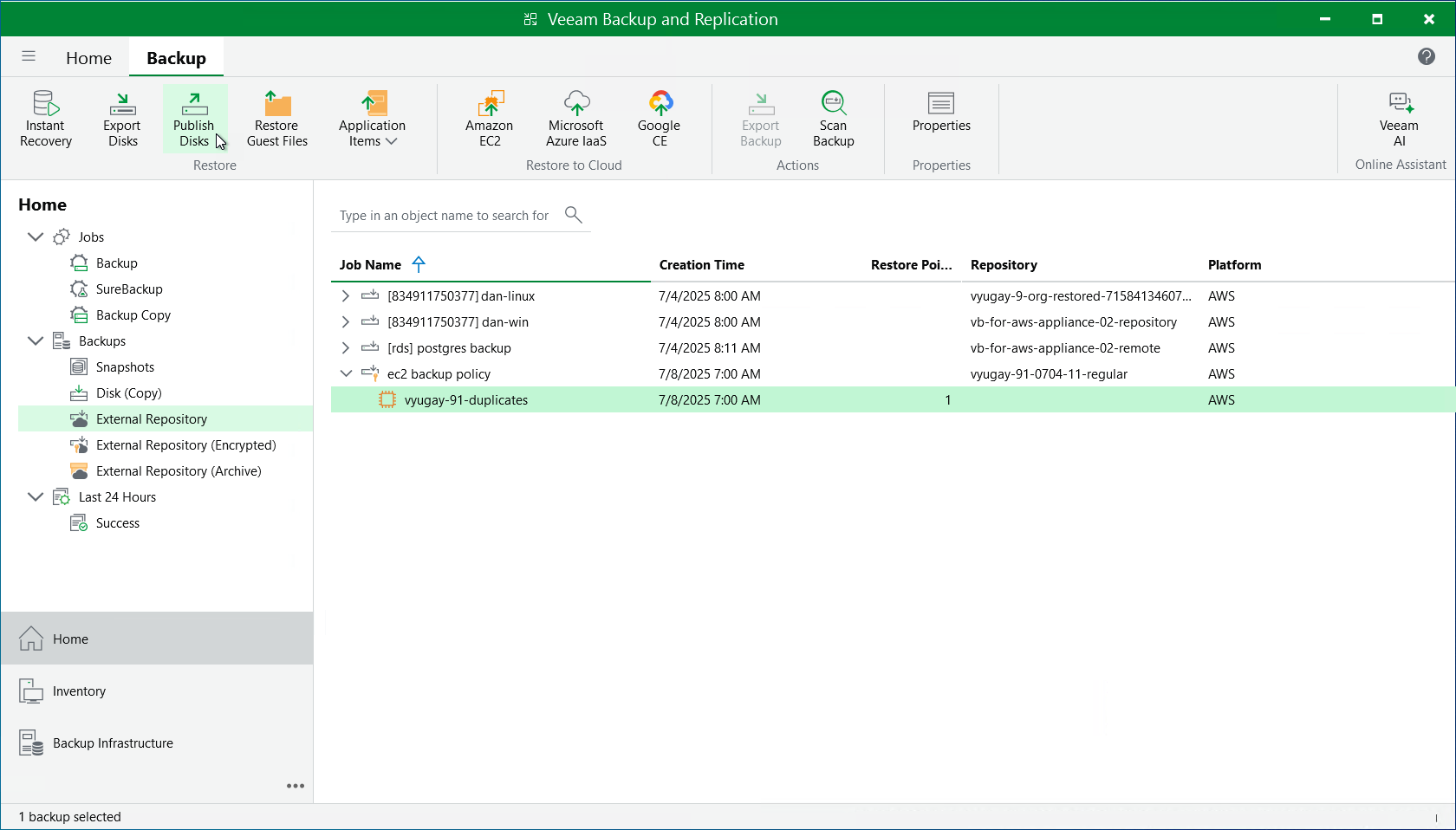
- Navigate to Backups > External Repository.
- Expand the necessary backup policy, select the EC2 instance whose volumes you want to publish and click Publish Disks on the ribbon.
- Complete the Publish Disks wizard as described in section Publishing Disks.