Viewing Malware Detection Events Using Web UI
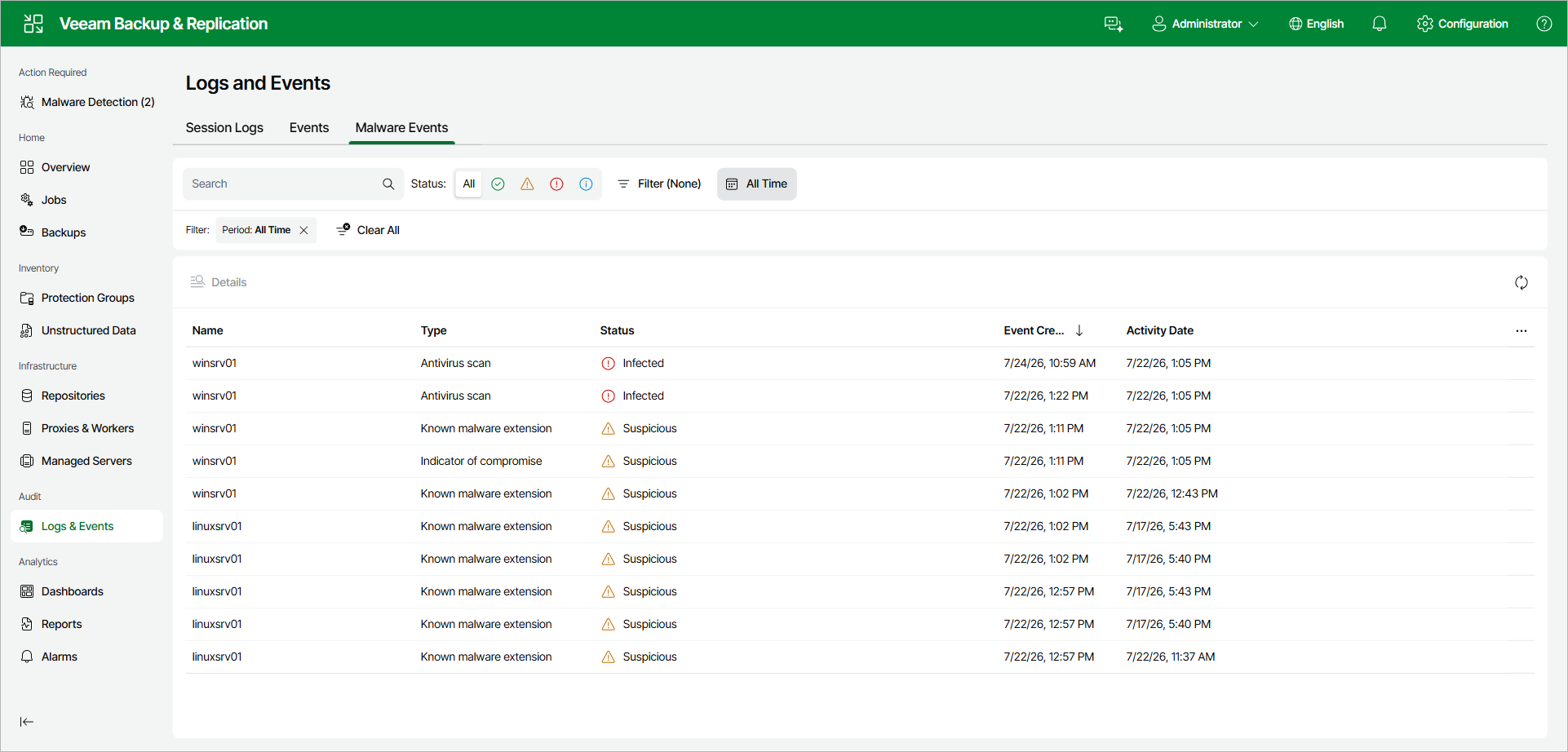
In the Veeam Backup & Replication web UI, malware detection events are displayed on the Malware Events tab of the Logs & Events view.
Malware detection events are created as a result of the following operations:
- Performing a backup job with file system activity analysis.
- Performing a backup job with the inline scan.
- Performing a Scan Backup session.
- Performing a restore session with the Secure Restore option.
- Performing a proactive signature-based scan.
- Sending Veeam Incident API requests.
To view malware detection events, do the following:
- In the left navigation pane, click Logs & Events.
- Open the Malware Events tab. For each event, the tab shows its Name, Type, Status, Event Created, and Activity Date. You can filter the list by status and time range, or search by object name.
- To view detailed information about an event, select it and click Details.