Storage
To specify compression and encryption settings for the application backup policy:
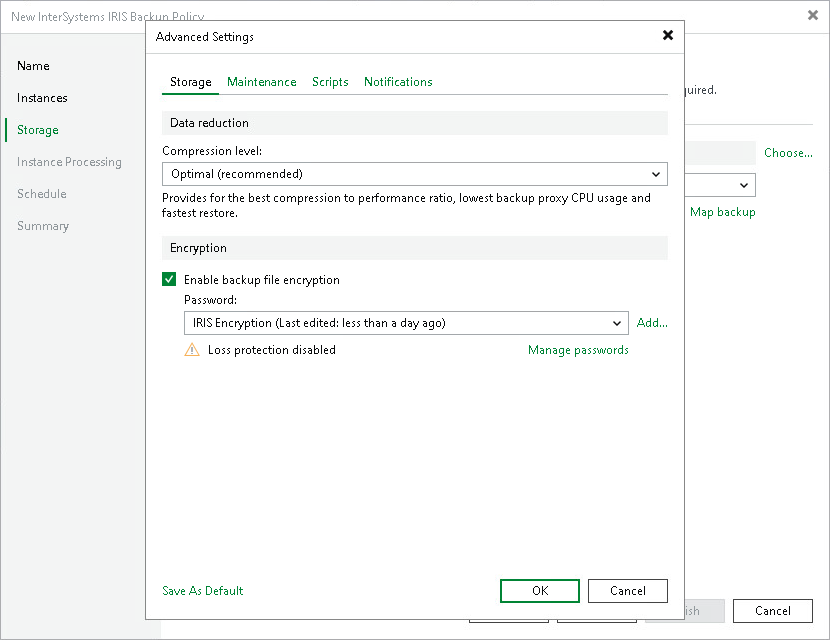
- In the Advanced Settings window, click the Storage tab.
- From the Compression level list, select a compression level for the backup: None, Dedupe-friendly, Optimal, High or Extreme. For details on compression levels, see Data Compression and Deduplication.
- To encrypt the content of backup files, select the Enable backup file encryption check box. In the Password field, select a password that you want to use for encryption. If you have not created the password beforehand, click Add or use the Manage passwords link to specify a new password. For details, see Password Manager.
If the backup server is not connected to Veeam Backup Enterprise Manager, you will not be able to restore data from encrypted backups in case you lose the password. Veeam Backup & Replication will display a warning about it: Loss protection disabled. For details, see Decrypting Backups With Enterprise Manager Keys.