Step 4. Review Parameters
At the Parameters step of the wizard, review the current database connection settings. The table shows the following parameters:
- Product and Installation path.
- The database server, Database, Authentication and Login.
- Database upgrade required.
- Database is locked.
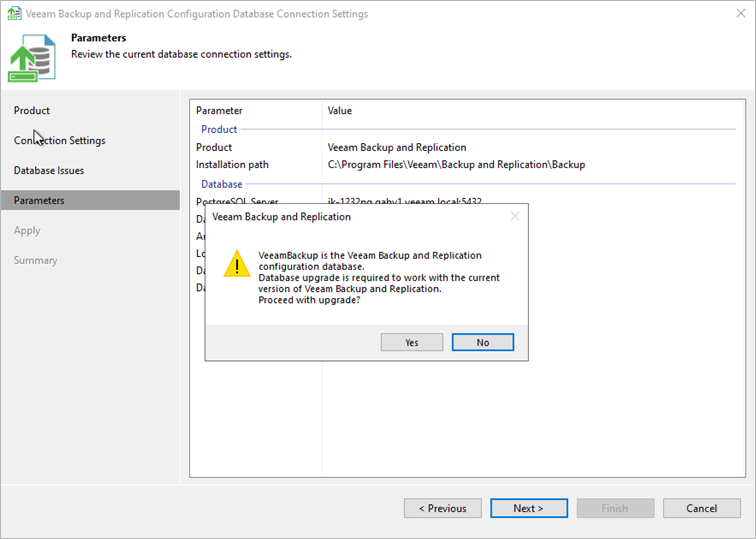
After you click Next, Veeam Backup & Replication may ask you to confirm the following actions. To proceed, click Yes in the displayed prompt:
- Use a database that is used by another backup server. If you attach the database to this server, you will have to re-enter all saved passwords.
- Upgrade the database. This prompt is displayed if the database must be upgraded to work with the current version of Veeam Backup & Replication.
- Close other Veeam user interfaces and stop all running jobs.