Configuring HTTPS Proxies
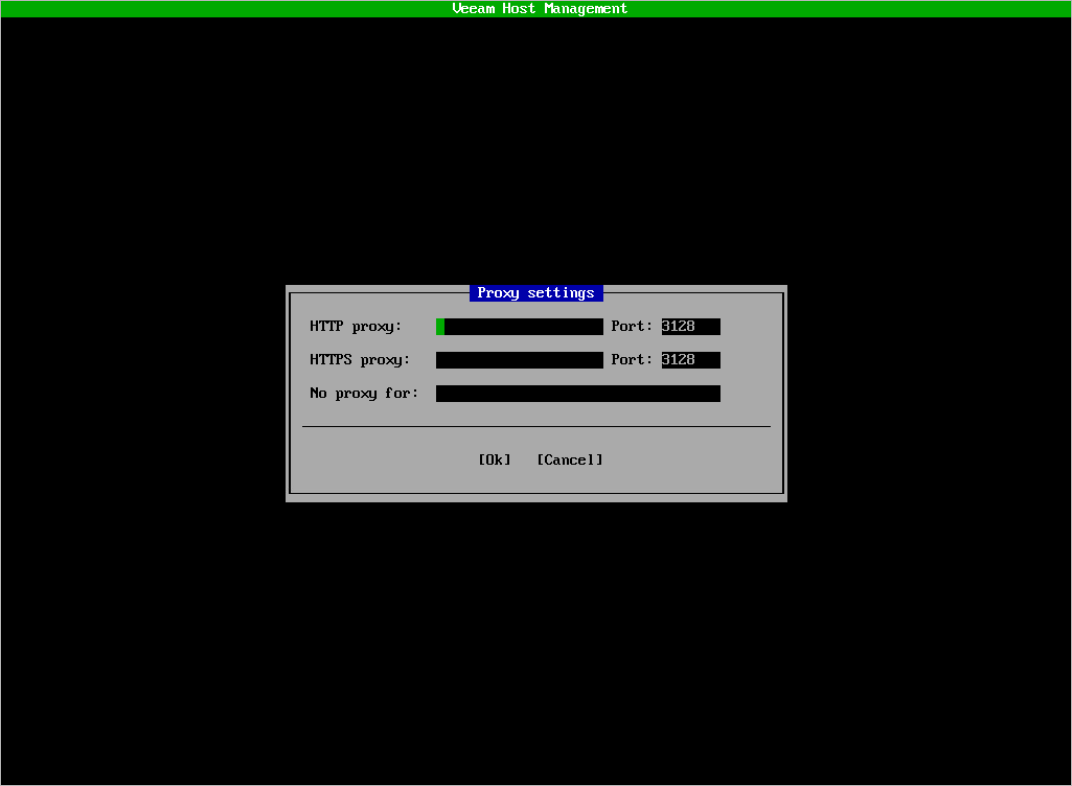
If the appliance does not have direct access to the internet, you can configure an HTTPS proxy in the Veeam Host Management TUI.
To configure an HTTPS proxy, perform the following steps:
- In the main menu, select Host configuration > HTTP proxy.
- If you have not configured a proxy previously, select Enable proxy and press [Space].
- Specify an HTTPS proxy and press [Enter].
After you configure a proxy, you can use the Bypass field to specify destinations that the appliance can connect to directly. You can specify the following types of destinations:
- Specific hostnames such as server1 or server1.domain.test.
- Specific IP addresses such as 172.21.241.5.
When specifying multiple addresses and hostnames, each one must be separated by a comma. For example, 172.21.241.5,server1.domain.test,server1.
Tip |
Any proxy settings configured in the Veeam Host Management TUI do not apply to Veeam Updater. You must configure it separately. For more information, see Updating Veeam Appliances. |