EC2 Backup Retention
For image-level backups, backup appliances retain restore points for the number of days defined in backup scheduling settings as described in sections Creating EC2 Backup Policies and Adding SLA Templates.
To track and remove outdated restore points from a backup chain, the backup appliance perform the following actions once a day:
- The backup appliance checks the configuration database to detect backup repositories that contain outdated restore points.
- If an outdated restore point exists in a backup repository, the backup appliance performs the following operations:
- Deploys a worker instance in the backup account in an AWS Region where the backup repository is located to process a retention task.
By default, the backup appliance uses the default network settings of AWS Regions to deploy worker instances. However, you can add specific worker configurations. For more information on worker instances, see Managing Worker Instances.
- Transforms the backup chain in the following way:
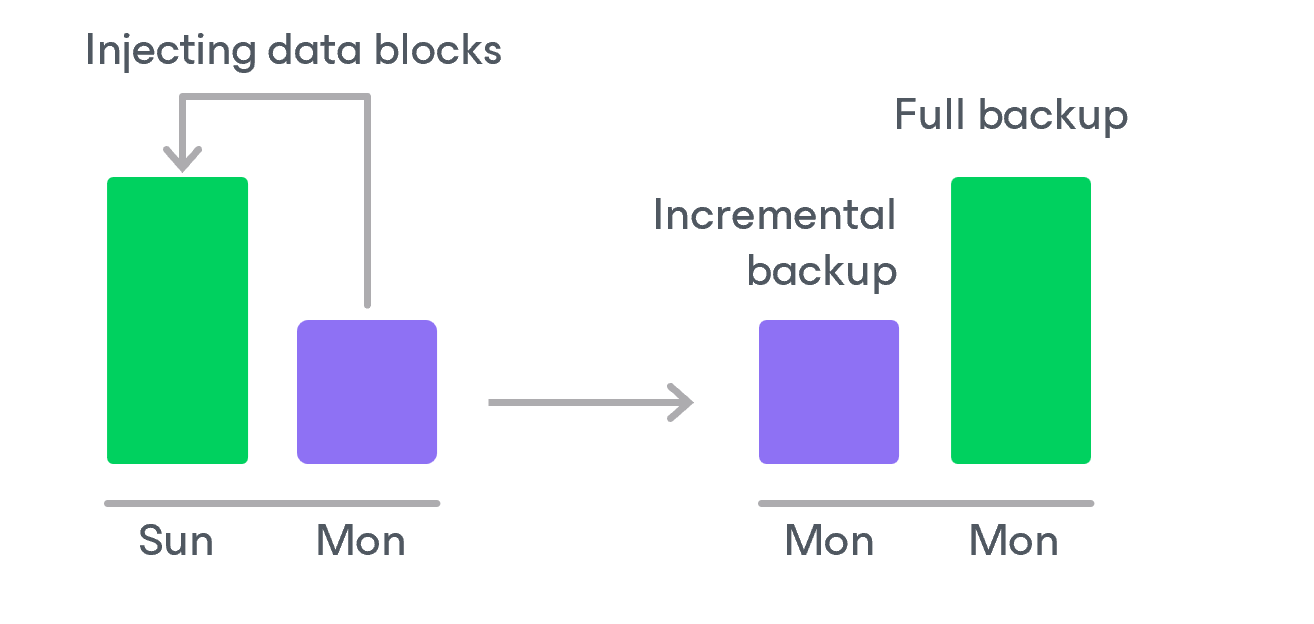
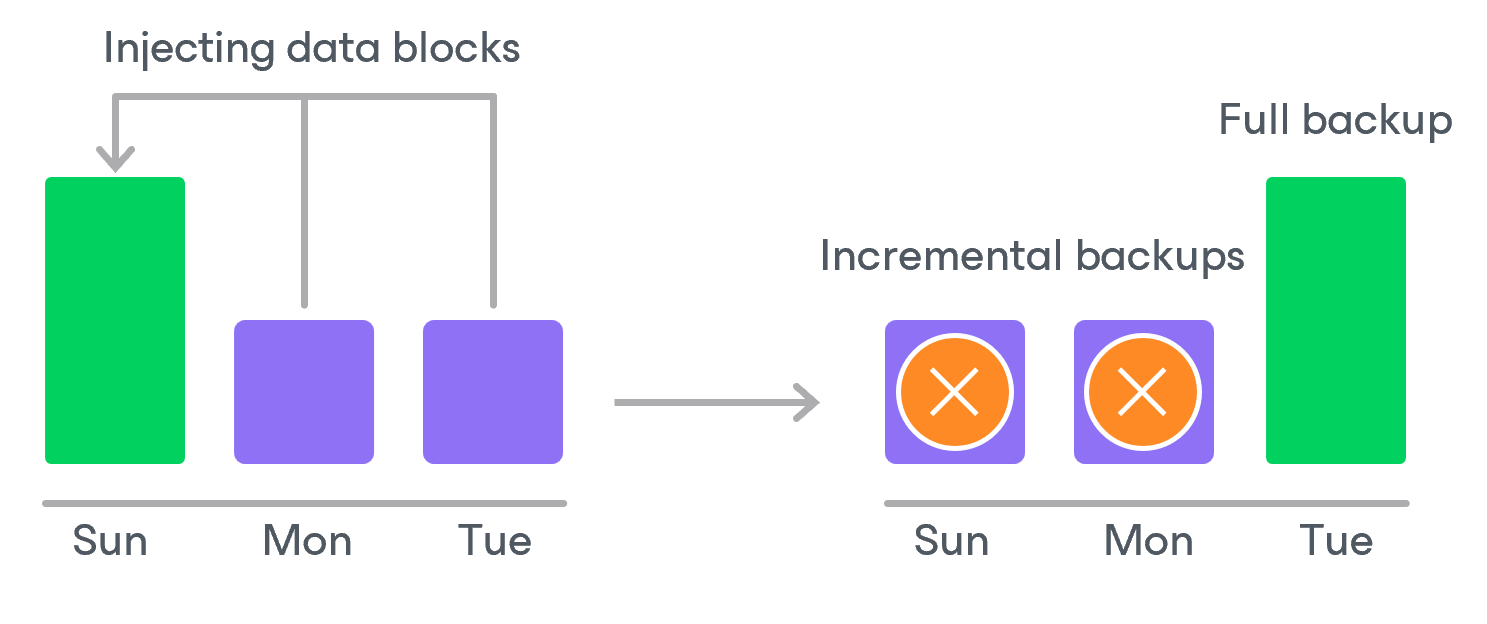
- The backup appliance rebuilds the full backup to include data of the incremental backup that follows the full backup. To do that, the appliance injects into the full backup data blocks from the earliest incremental backup in the chain. This way, a full backup ‘moves’ forward in the backup chain.
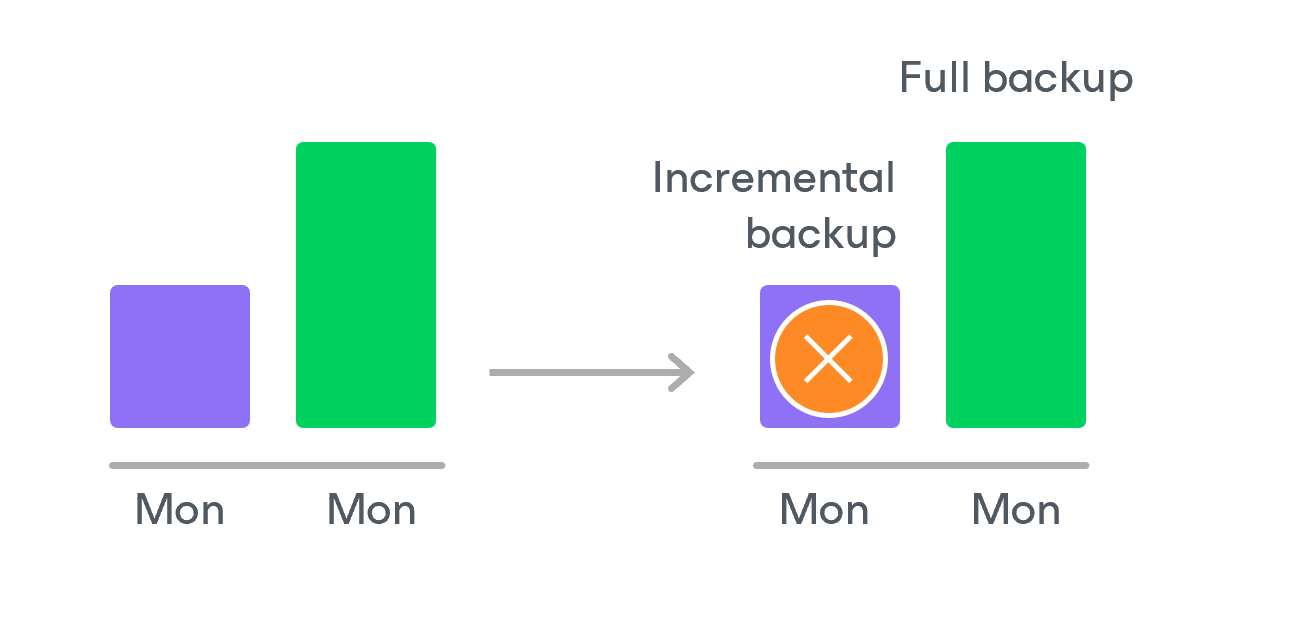
- The backup appliance removes the earliest incremental backup from the chain as redundant — this data has already been injected into the full backup.
- The backup appliance repeats step 2 for all other outdated restore points found in the backup chain until all the restore points are removed. As data from multiple restore points is injected into the rebuilt full backup, the appliance ensures that the backup chain is not broken and that you will be able to recover your data when needed.
- The backup appliance removes this worker instance from Amazon EC2 when the retention session completes.
|
NoteS |
If the number of retention tasks exceeds the specified limit, the remaining tasks will be queued. |
Related Topics