Managing License
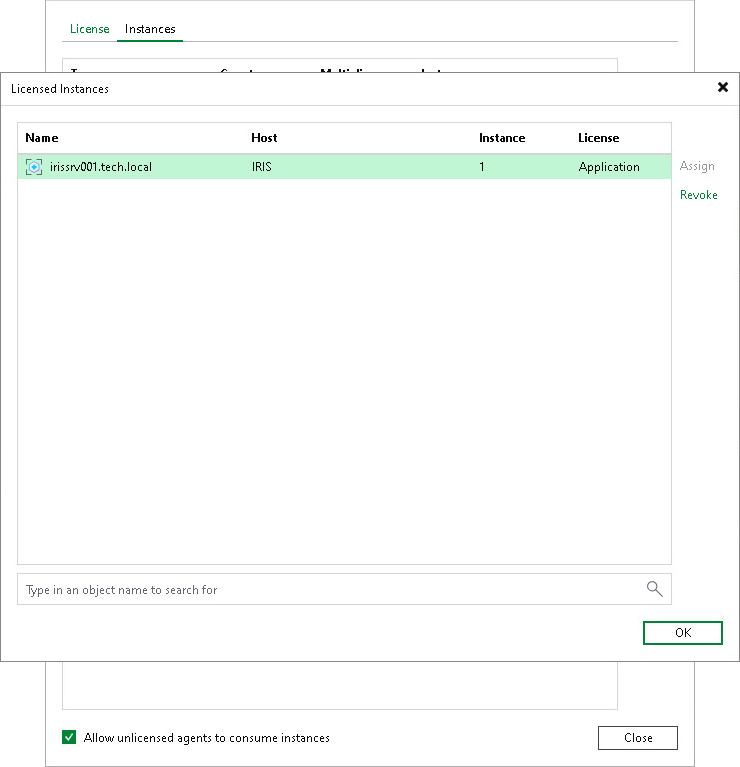
You can assign and revoke licenses for specific installed InterSystems IRIS instances from the Veeam Backup & Replication server. This process helps you manage license usage and ensure only intended installed instances consume licenses.
Assigning License Use
To assign license usage to individual instances, do the following:
- From the main menu, select License.
- In the License Information window, click the Instances tab and click Manage.
- In the Licensed Instances tab, select the installed instance and click Assign.
- Click Close.
Restricting License Use
You can also restrict license consumption only for a specific installed InterSystems IRIS instance.
To restrict license consumption for specific installed instances, do the following:
- From the main menu, select License.
- In the License Information window, click the Instances tab and click Manage.
- In the Licensed Instances tab, select the installed instance and click Revoke.
- Click OK and then click Close to close the windows.