Deleting Backups
By default, Veeam Backup & Replication maintains backups stored in backup repositories according to retention policy settings saved in the backup metadata. If Veeam Backup & Replication detects that the number of restore points in the backup chain exceeds the allowed number, it automatically removes obsolete backups. You can also delete backup files from backup repositories manually if you no longer need them.
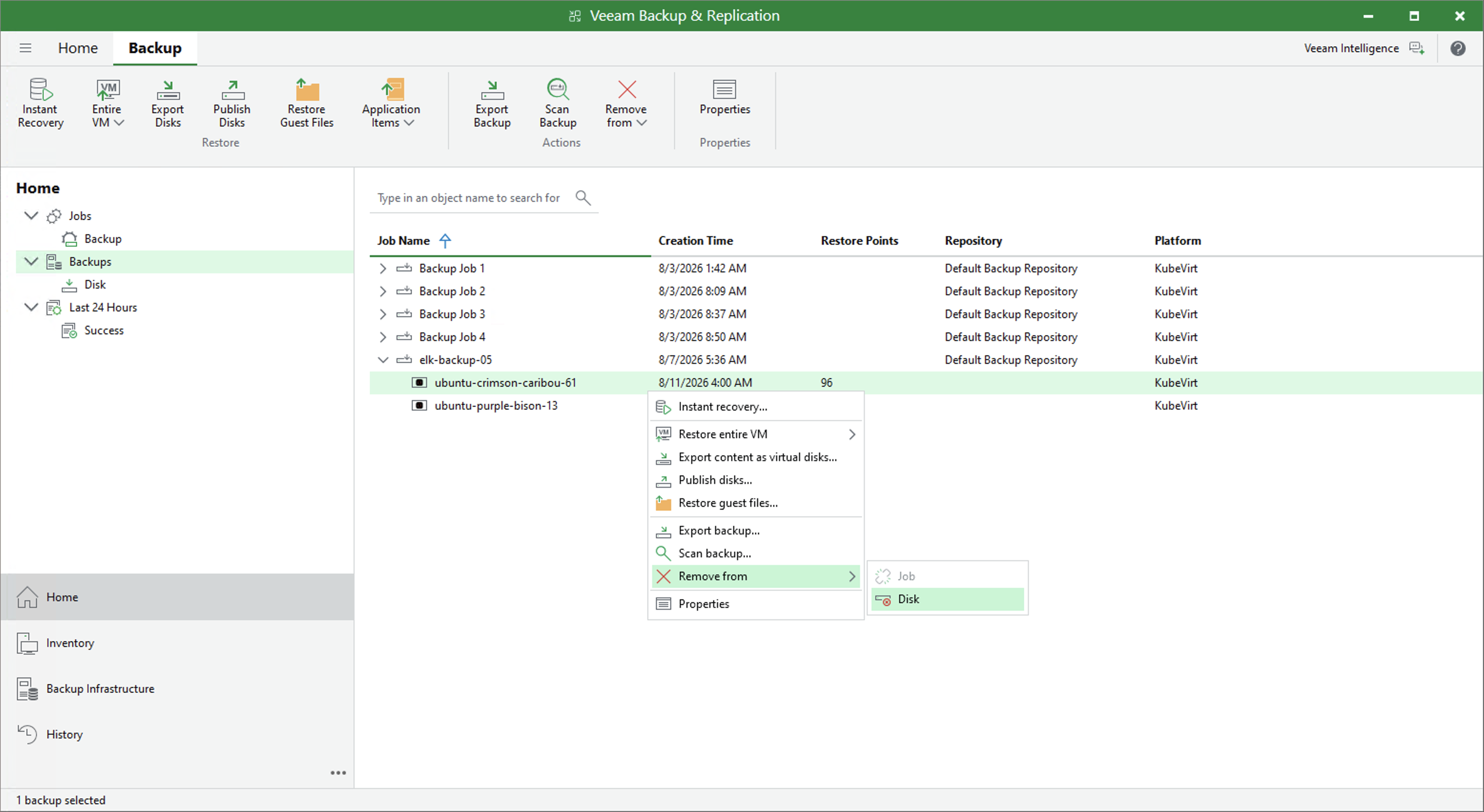
To delete backup files created for a VM, do the following:
- Open the Home view.
- In the inventory pane, select Backups.
- In the working area, select the backup and click Remove from > Disk on the ribbon. Alternatively, you can right-click the backup and select Remove from disk.
|
Note |
|
If 4-eyes authorization is enabled in Veeam Backup & Replication, deleting backup files will require additional approval from another user with the Backup Administrator role. |