Uninstalling CDP Agent Service and Filter Driver
You can uninstall the Veeam CDP Agent Service and Veeam CDP Volume Filter Driver from a workload added to a protection group.
Note |
If you want to uninstall all Veeam components from workloads in the protection group, see Uninstalling Veeam Agent and Other Veeam Components. |
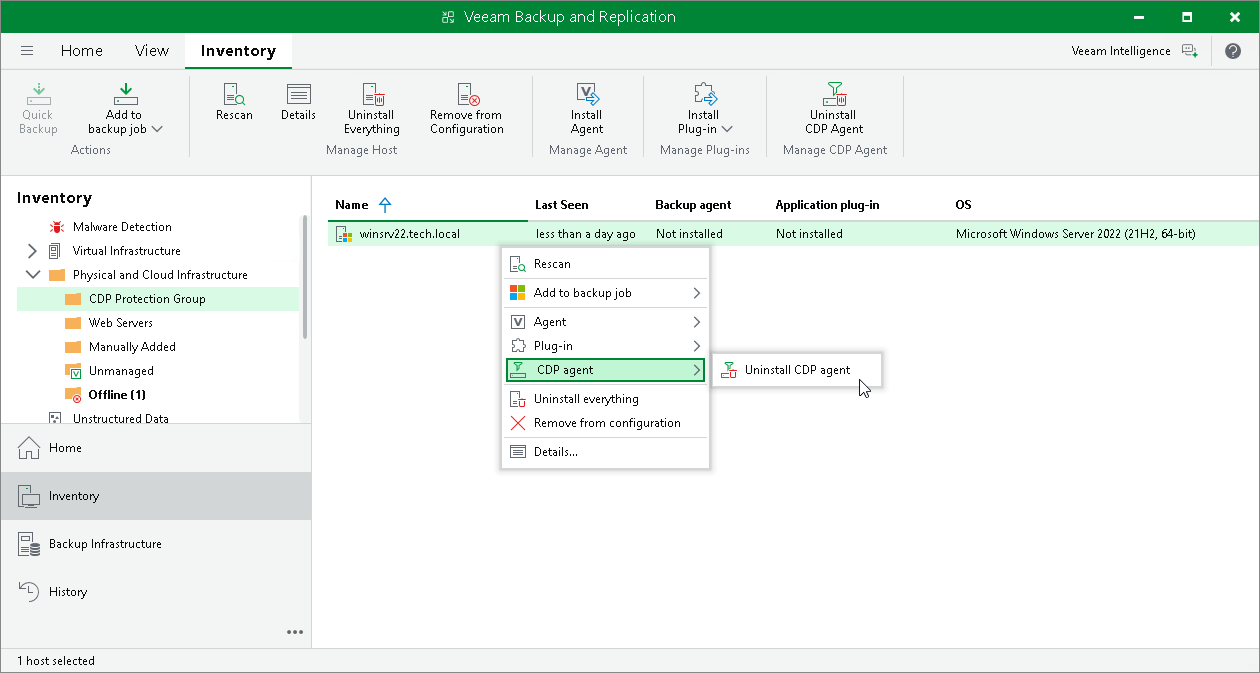
To uninstall the Veeam CDP Agent Service and Veeam CDP Volume Filter Driver from a workload:
- Open the Inventory view.
- In the inventory pane, expand the Physical Infrastructure node and select the protection group that contains the workload.
- In the working area, select the workload and click Uninstall CDP Agent on the ribbon or right-click the workload and select CDP agent > Uninstall CDP agent.
- In the confirmation window, click Yes.