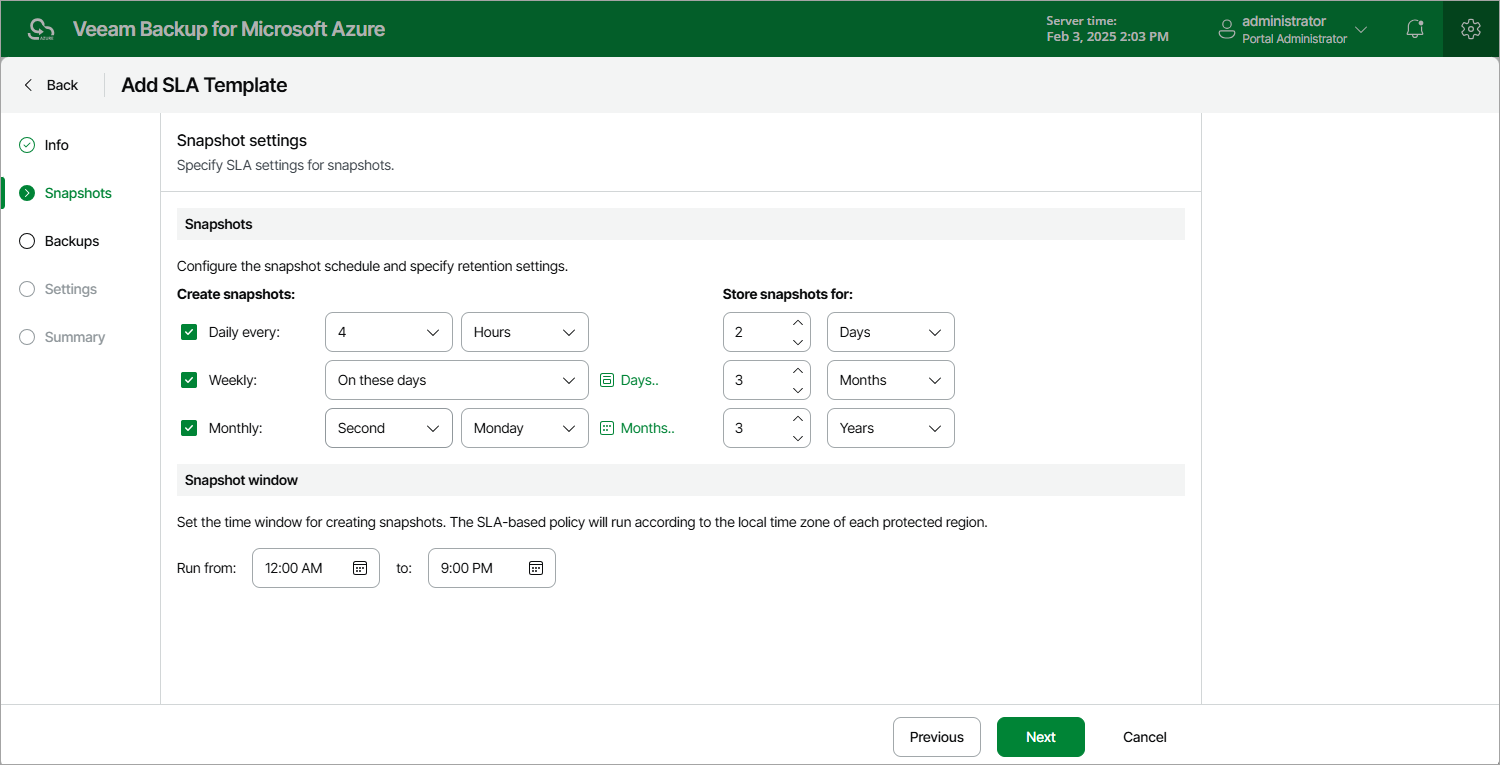
Step 3. Configure Snapshot Settings
At the Snapshots step of the wizard, you can configure the following snapshot settings:
- In the Snapshots section, you can instruct the backup appliance to create cloud-native snapshots on a daily, weekly and monthly basis, and to keep the created snapshots in a snapshot chain for a specific number of days, months or years. If a snapshot is older than the specified time limit, the backup appliance removes the snapshot from the chain.
Note that if you configure a schedule but do not select the corresponding check box, Veeam Backup for Microsoft Azure will ignore the specified settings and will not create snapshots according to this schedule.
- In the Snapshot window section, you can instruct the backup appliance to create daily snapshots within a specific time interval if you do not want backup operations to overlap production hours.
The backup appliance automatically adjusts the specified snapshot window to the time zone of each region added to all SLA-based backup policies that have this SLA template assigned. For more information, see Data Protection Windows.
When you combine multiple types of snapshot schedules, the backup appliance re-uses snapshots created according to a more-frequent schedule (daily or weekly) to achieve the desired SLA compliance for less-frequent schedules (weekly and monthly). For example, if you configure a daily and a monthly schedule, the first snapshot successfully created according to the daily schedule will be marked as both a daily and a monthly snapshot.