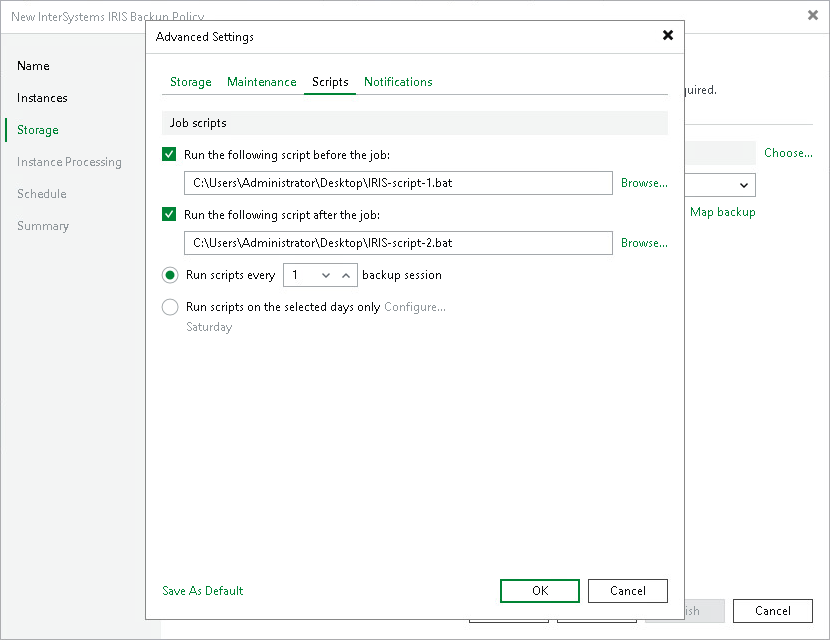
Scripts
To specify pre-job and post-job script settings for the backup policy:
- In the Advanced Settings window, click the Scripts tab.
- Select the Run the following script before the job check box to run a script before the policy starts. Click Browse to select the script file.
- Select the Run the following script after the job check box to run a script after the policy completes. Click Browse to select the script file.
Scripts must be executable files stored locally on the backup server. Veeam Backup & Replication will run the scripts on the backup server.
- Select when the scripts must run. By default, Veeam Backup & Replication runs scripts during every policy session. To change this behavior, select either of the following options:
- Select the Run scripts every backup session option — Veeam Backup & Replication will run the scripts before and after every policy session.
- Select the Run scripts on selected days only option — Veeam Backup & Replication will run the scripts only on selected days of the week. Click Configure to choose the required days.
If you select the Run scripts on selected days only option, Veeam Backup & Replication will run the scripts only once on each selected day, during the first policy session of that day. Subsequent sessions on the same day will not trigger the scripts.
|
NOTE |
|
In snapshot-only mode, the policy creates storage snapshots only and does not transfer data to a backup repository. Pre-job and post-job scripts, if configured, still run before and after each policy session. For details about snapshot-only mode, see Backup Types. |