Disabling Automatic Worker Updates
When launching a worker for a backup or restore operation, Veeam Backup & Replication automatically downloads updates from Veeam repositories and installs them on the worker. If the worker is not connected to the internet, you can instruct Veeam Backup & Replication to use an internet proxy that will provide access to the necessary resources.
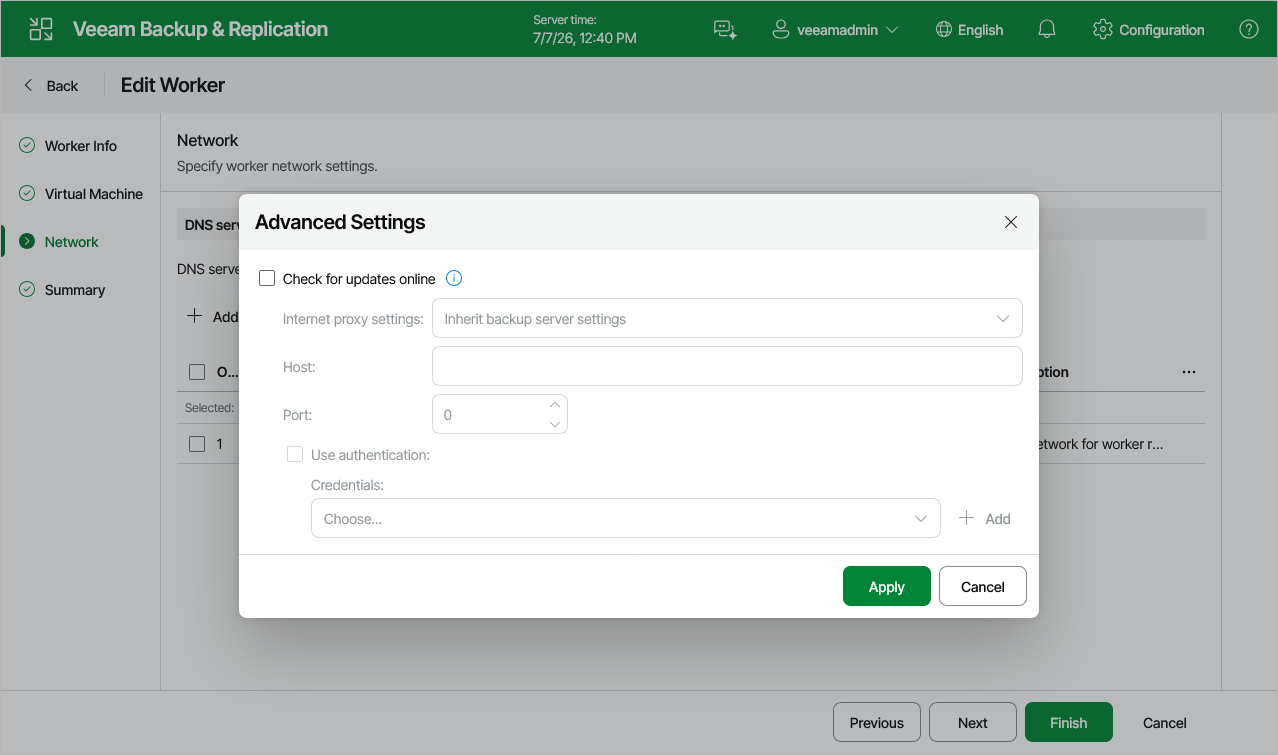
If a worker does not have access to the internet and no internet proxy is configured for the worker, you can disable automatic updates to avoid connection failures and eliminate session warnings:
- Navigate to Proxies & Workers.
- Select the worker and click Edit.
- At the Networks step of the Edit Worker wizard, click Advanced and clear the Check for updates online check box. Then, click Finish to save changes made to the worker settings.