Deleting Backup Jobs
You can permanently delete a backup job from the Veeam Backup & Replication configuration database if you no longer need it. When you delete a job, backups created by this job are displayed under the Backups > Disk (Orphaned) node in the Home view of the Veeam Backup & Replication console.
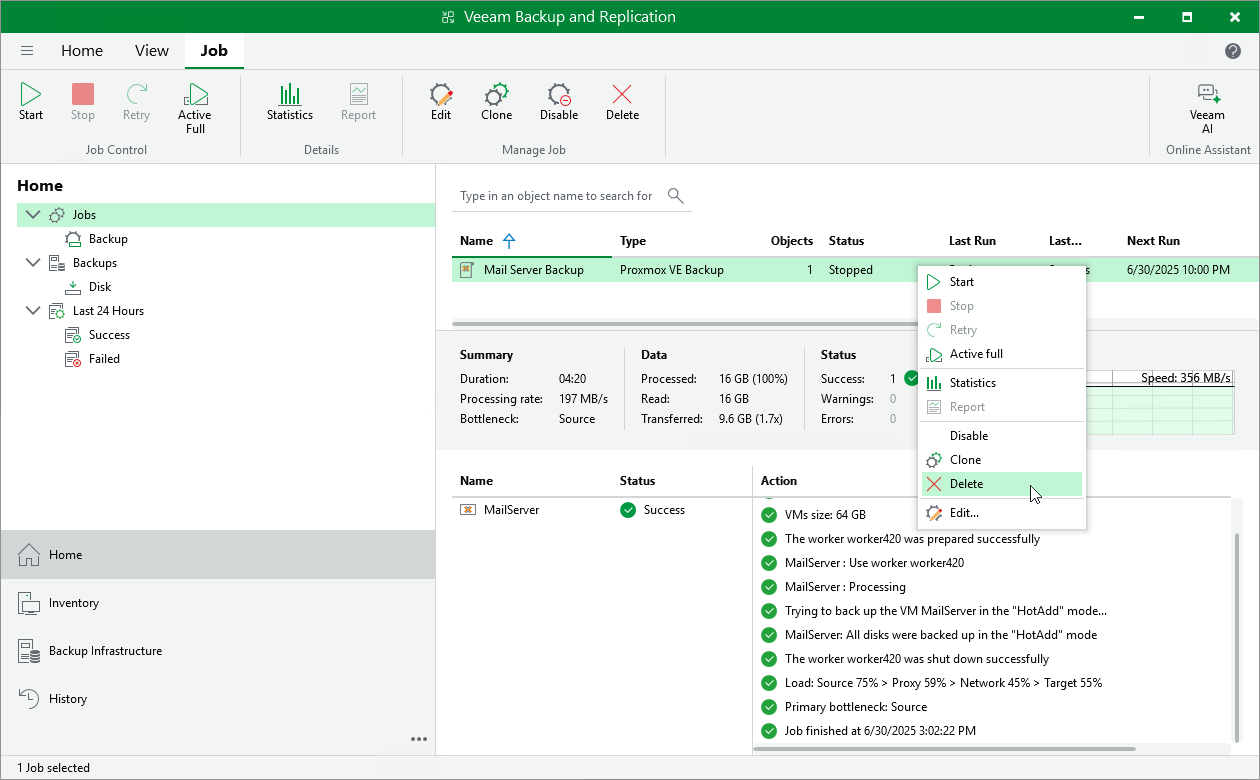
To delete a backup job, do the following:
- Open the Home view.
- In the inventory pane, select Jobs.
- In the working area, right-click the necessary job and select Delete.
Alternatively, select the job and click Delete on the ribbon.
|
Tip |
|
If you want to delete backup files as well, follow the instructions provided in section Deleting Backups. |