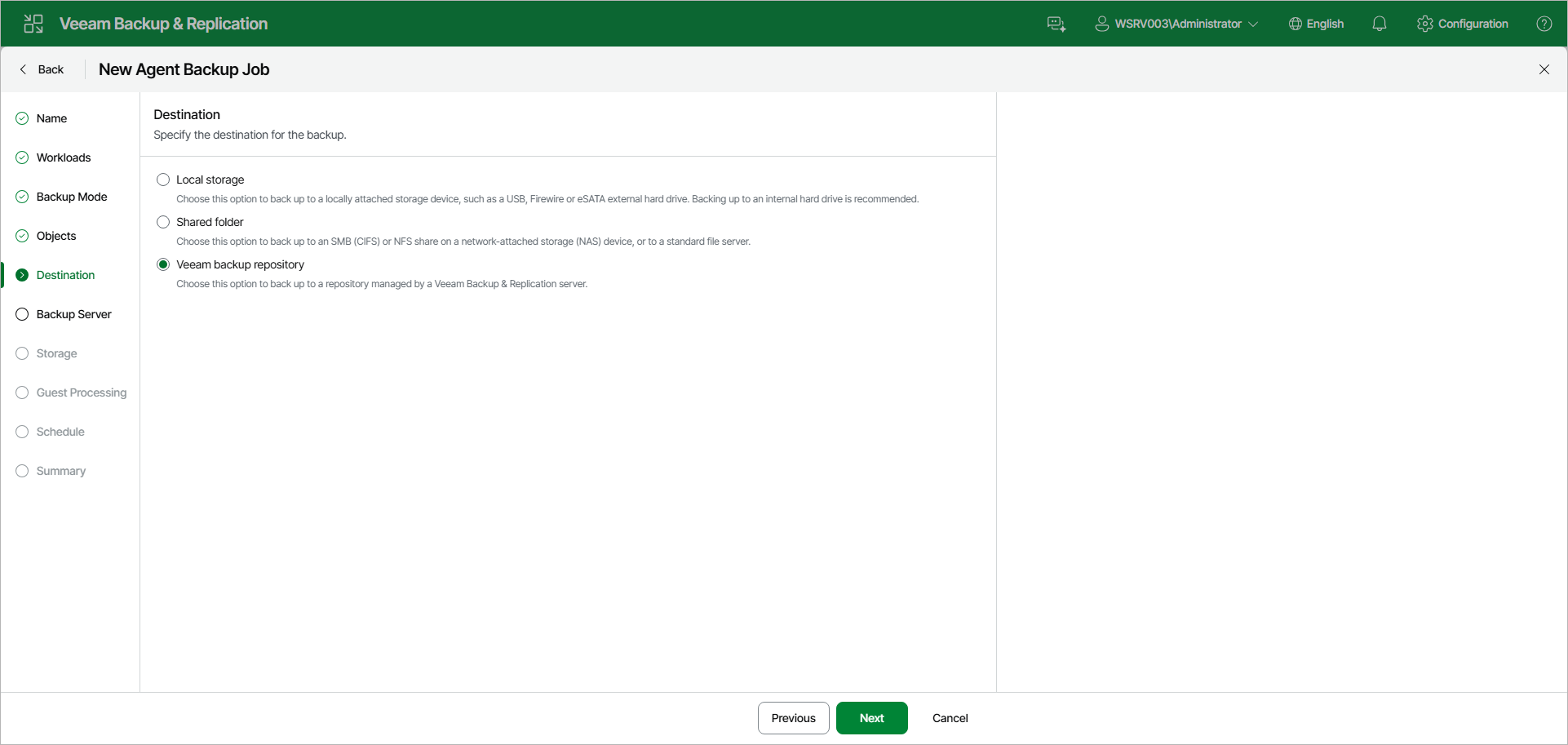
Step 7. Select Backup Destination
At the Destination step of the wizard, select a target location for backups created by Veeam Agents installed on protected computers.
You can store backup files in one of the following locations:
- Local storage — select this option if you want to save backups to a removable storage device attached to a protected computer or on a local drive of a protected computer. With this option selected, you will pass to the Local Storage step of the wizard.
|
IMPORTANT |
|
It is recommended that you store backups in an external location — for example, a USB storage device or network shared folder. You can also keep your backup files on a separate non-system local drive. |
- Shared folder — select this option if you want to save backups to an SMB (CIFS) or NFS share on a network-attached storage (NAS) device, or on a standard file server. With this option selected, you will pass to the Shared folder step of the wizard.
- Veeam backup repository — select this option if you want to save backups to a backup repository managed by the Veeam Backup & Replication server on which the Veeam Agent backup policy is configured. With this option selected, you will pass to the Backup Server step of the wizard.