Editing Veeam Agent Backup Job Settings
You can edit Veeam Agent backup jobs configured in Veeam Backup & Replication at any time. For example, you may want to edit a backup job to change the backup scope, target location or job scheduling settings.
|
NOTE |
|
Consider the following:
|
You can edit a Veeam Agent backup job in one of the following ways:
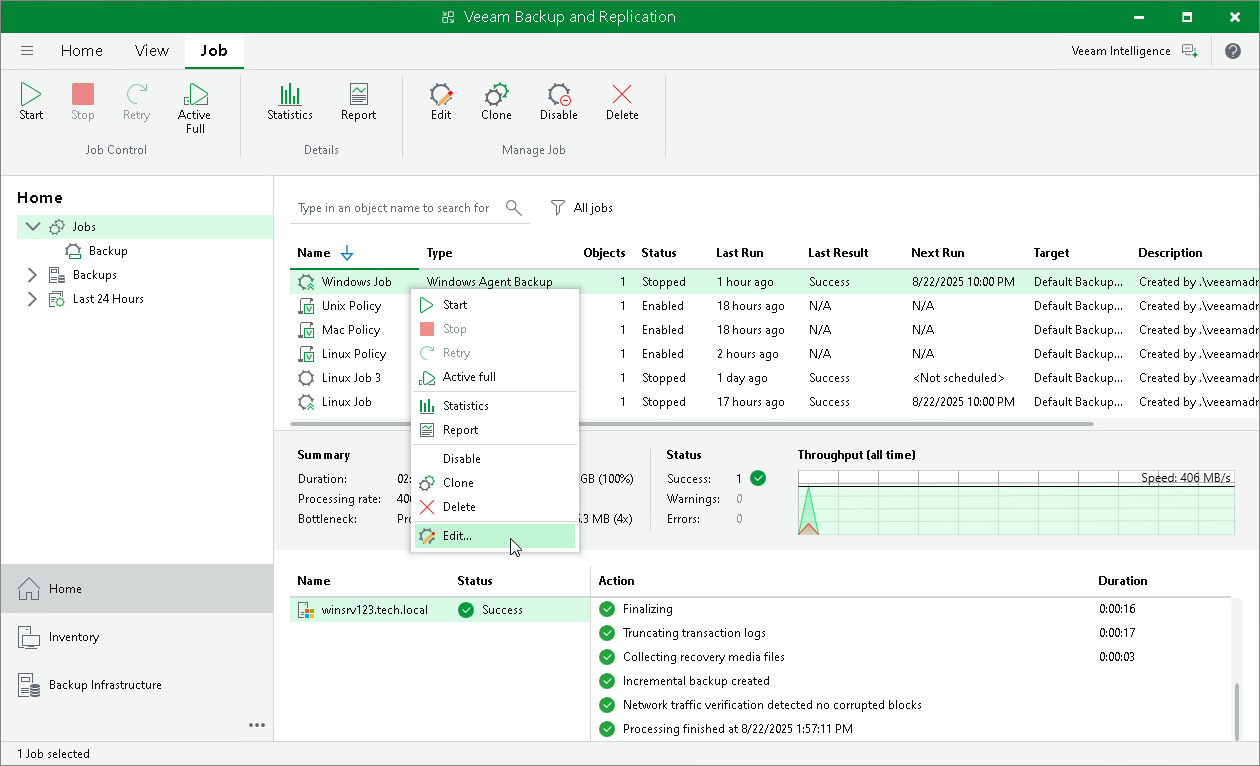
Editing Veeam Agent Backup Job Settings Using Veeam Backup & Replication Console
To edit job settings:
- Open the Home view.
- In the inventory pane, select Jobs.
- In the working area, select the job and click Edit on the ribbon or right-click the job and select Edit.
- Complete the steps of the Edit Agent Backup Job wizard to change the job settings as required.
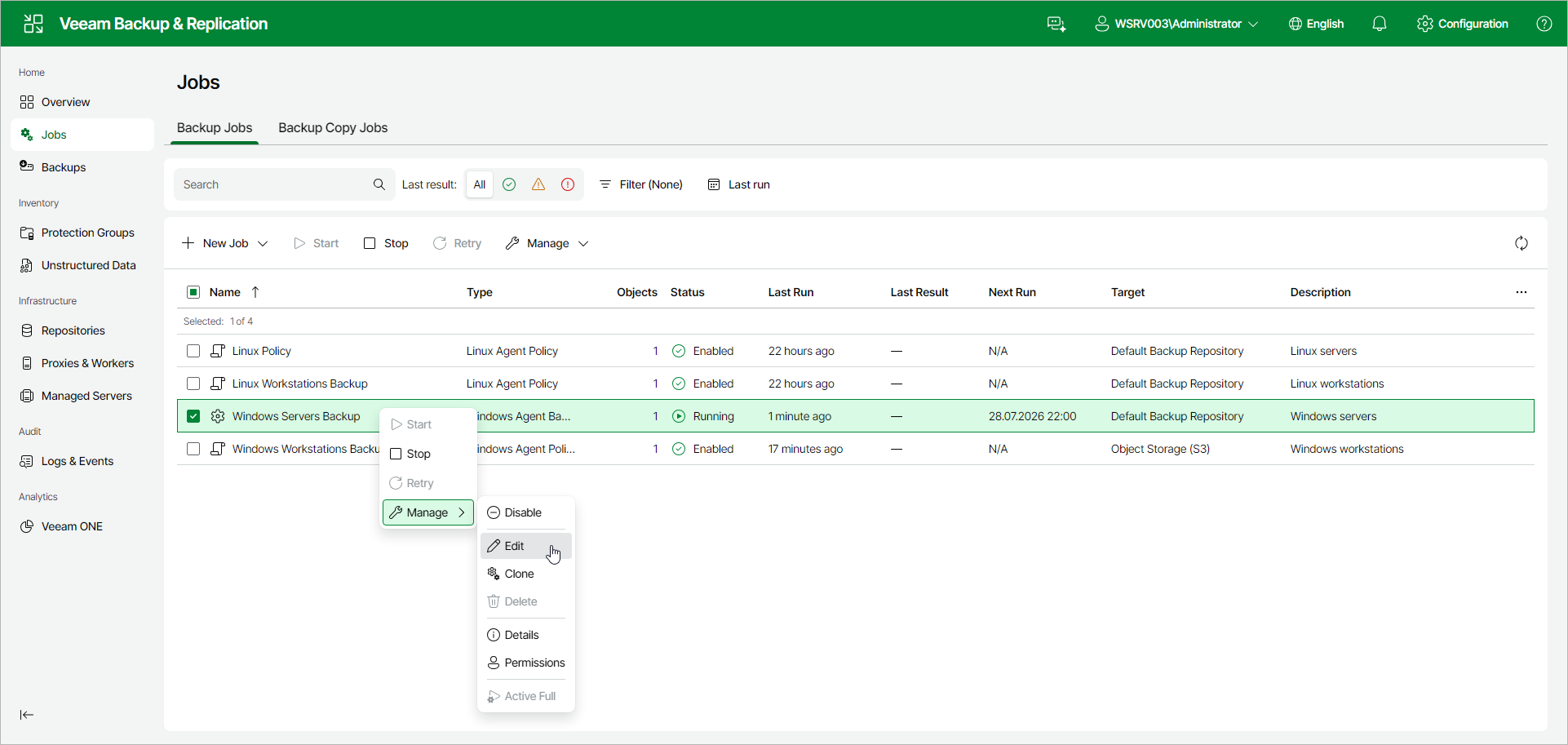
Editing Veeam Agent Backup Job Settings Using Veeam Backup & Replication Web UI
To edit job settings:
- In the management pane, click Jobs.
- Select the check box next to the necessary backup job, and from the Manage drop-down list, select Edit. Alternatively, right-click the job and click Manage > Edit.
- Complete the steps of the Edit Agent Backup Job wizard to change the job settings as required.