Using Extract Utility in GUI
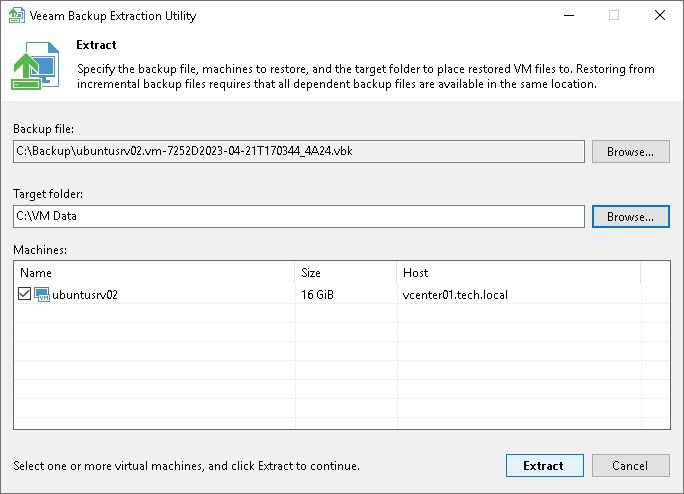
To restore machine data in the extract utility GUI:
- Run the Veeam.Backup.Extractor.exe file from the installation folder of Veeam Backup & Replication.
- In the Backup file field, specify a path to the backup file from which you want to restore machine data.
- If the backup file is encrypted, the extract utility will require you to provide a password to unlock the backup file.
- In the Target folder field, specify a path to the destination folder where machine data must be restored.
- From the Machines list, select machines whose data you want to restore.
- Click Extract. Machine data will be restored to the specified folder.
|
Important |
|
If you restore machine data in the extract utility GUI, consider the following:
|