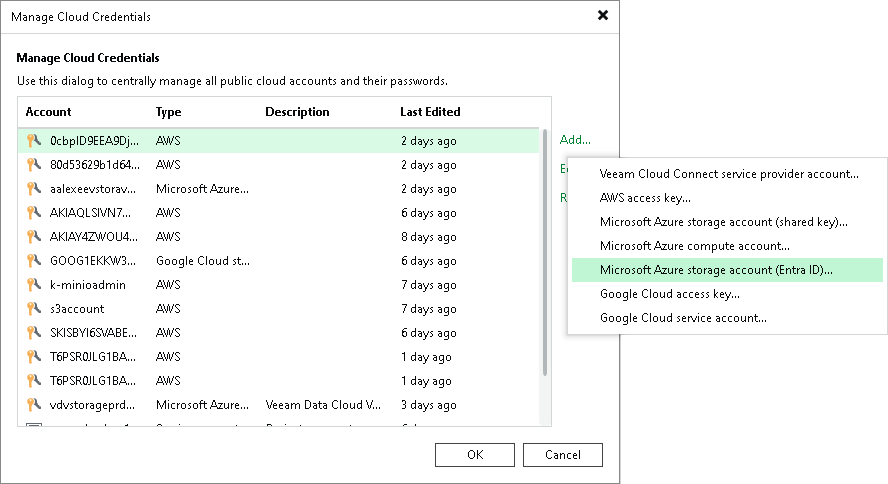
Step 1. Launch Microsoft Azure Storage Account (Entra ID) Wizard
To launch the Microsoft Azure Storage Account (Entra ID) wizard, do the following:
- In the main menu, click Credentials and Passwords > Cloud Credentials.
- In the Manage Cloud Credentials window, click Add and select Microsoft Azure credentials > Microsoft Azure storage account (Entra ID).