Step 1. Launch Redshift Serverless Restore Wizard
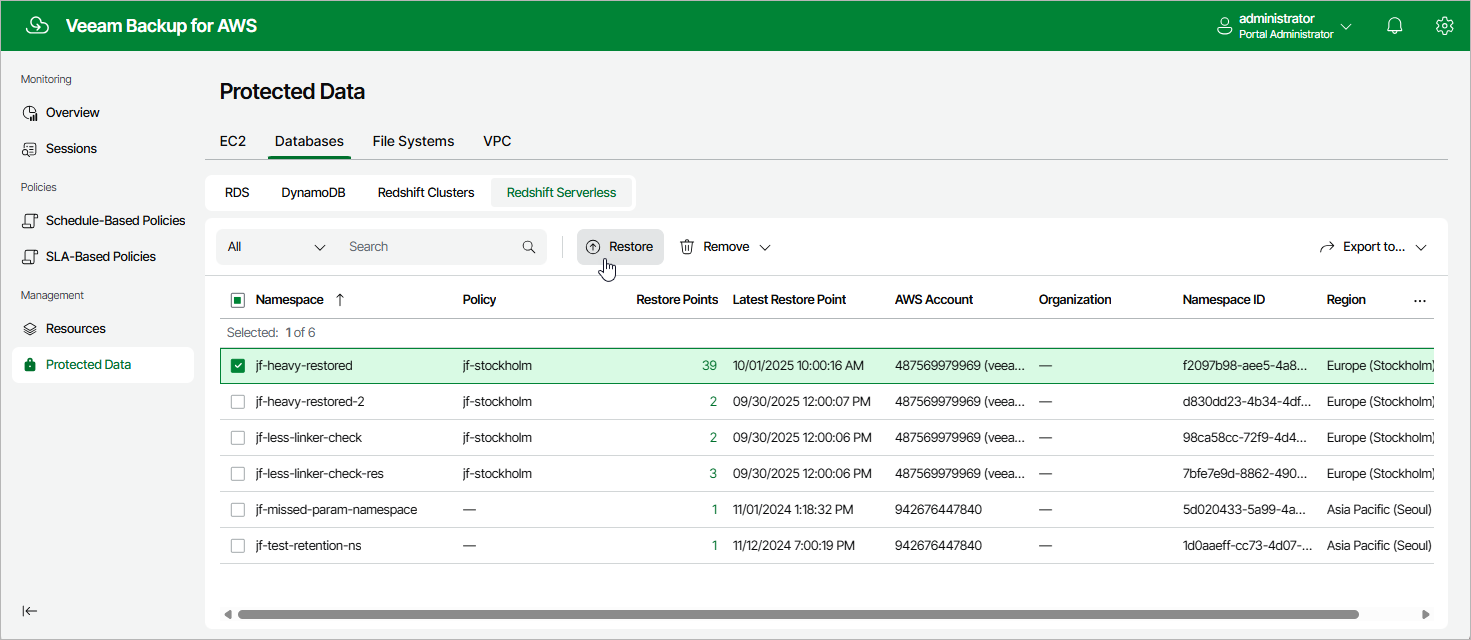
To launch the Redshift Serverless Restore wizard, do the following:
- Navigate to Protected Data > Databases > Redshift Serverless .
- Select the Redshift Serverless namespace that you want to restore.
- Click Restore .
Alternatively, click the link in the Restore Points column. Then, in the Available Restore Points window, select the necessary restore point and click Restore .