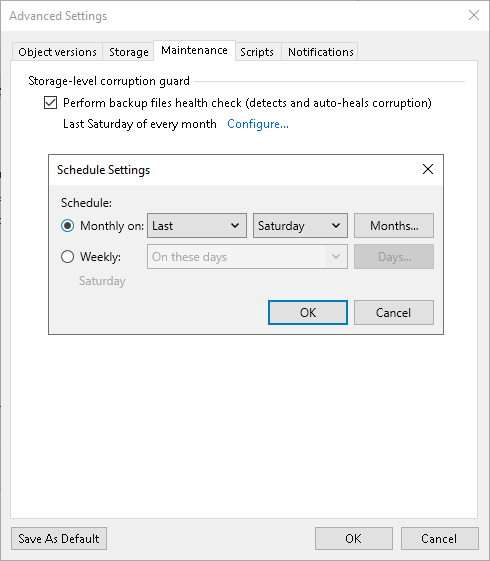
Maintenance Settings
You can instruct Veeam Backup & Replication to periodically perform a health check for the backup. The health check ensures that the backup is consistent, and you will be able to restore data from it.
During the health check, Veeam Backup & Replication performs a CRC check for metadata and a hash check for data blocks in the object storage backup files to verify their integrity. If you configured a secondary destination for the job, Veeam Backup & Replication also performs a health check for the backup files stored there. For more information, see the Performing Health Check and Repair for Unstructured Data Backups section.
To configure the health-check settings for backup job:
- At the Backup Repository step of the wizard, click Advanced.
- On the Maintenance tab, select Perform backup files health check to enable the health check option. It ensures that all data and metadata is backed up correctly.
- Click Configure and specify the time schedule for the health check.
-
If you want to save this set of settings as the default one, click Save as Default. When you create a new job, the saved settings will be offered as the default. This also applies to all users added to the backup server.