Viewing Backup Policy Report
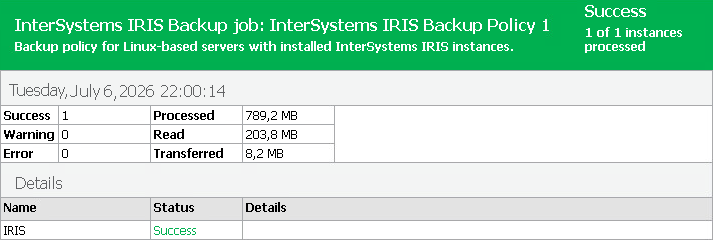
You can generate a report with details about application backup policy sessions performed on protected InterSystems IRIS instances added to a backup policy. The report contains data on the latest backup policy session initiated for the backup policy. To generate a report:
- Open the Home view.
- In the inventory pane, click the Jobs node.
- In the working area, click Report on the ribbon or right-click the backup policy and select Report.
The report contains data on the latest policy session:
- Cumulative session statistics: details on the number of protected instances specified in the backup policy settings and the number of disconnected instances, details of the session performance, amount of read, processed and transferred data.
- Detailed statistics for every protected InterSystems IRIS instance processed within the session: processing duration details, backup data size, amount of read and transferred data, list of warnings and errors (if any).
|
TIP |
|
Consider the following:
|