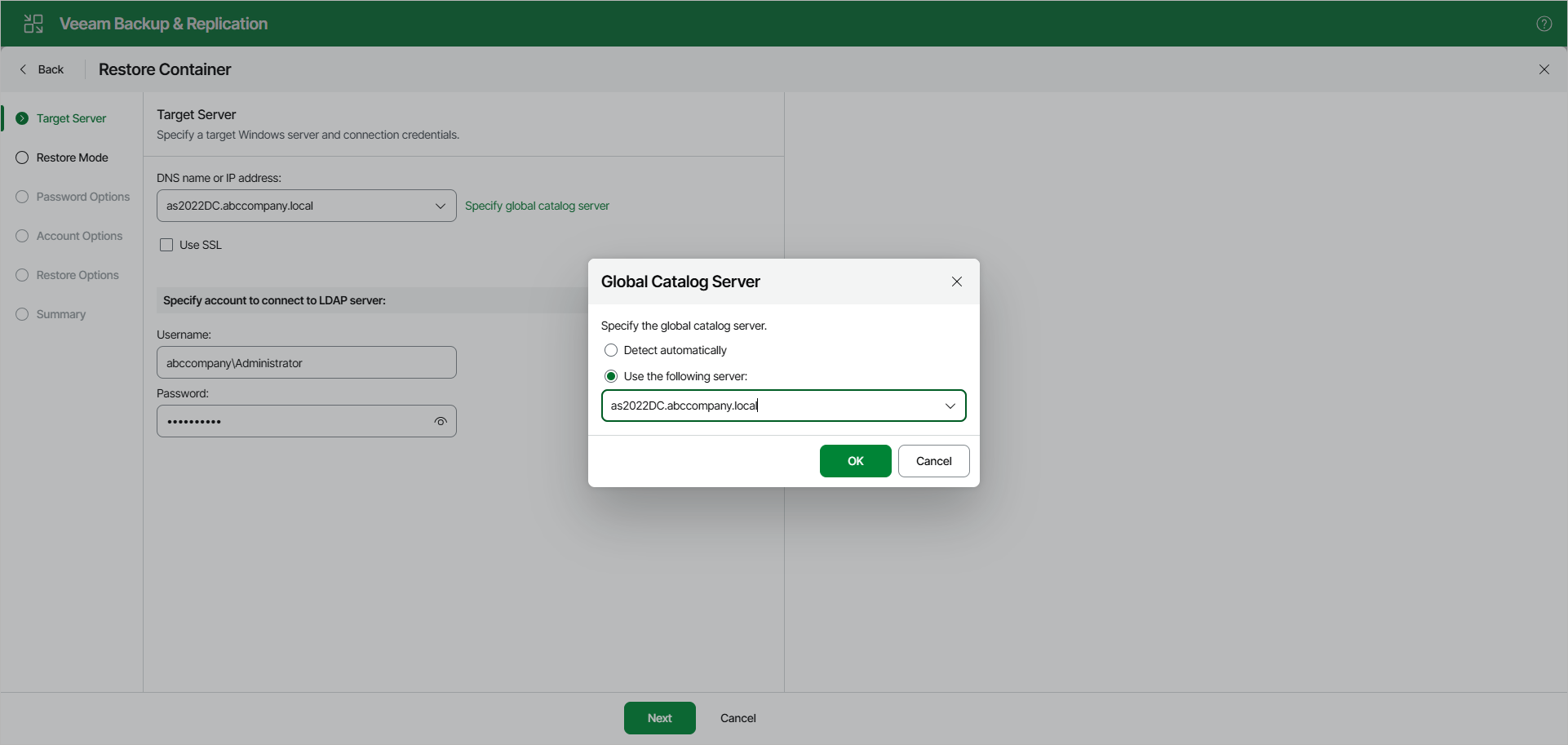
Step 2. Specify Connection Parameters
At the Target Server step, do the following:
- In the DNS name or IP address field, specify the target server to which you want to restore your data.
Select the Use SSL check box to establish a secure connection.
- In the Specify account to connect to LDAP server section, provide a user name and password for the account.
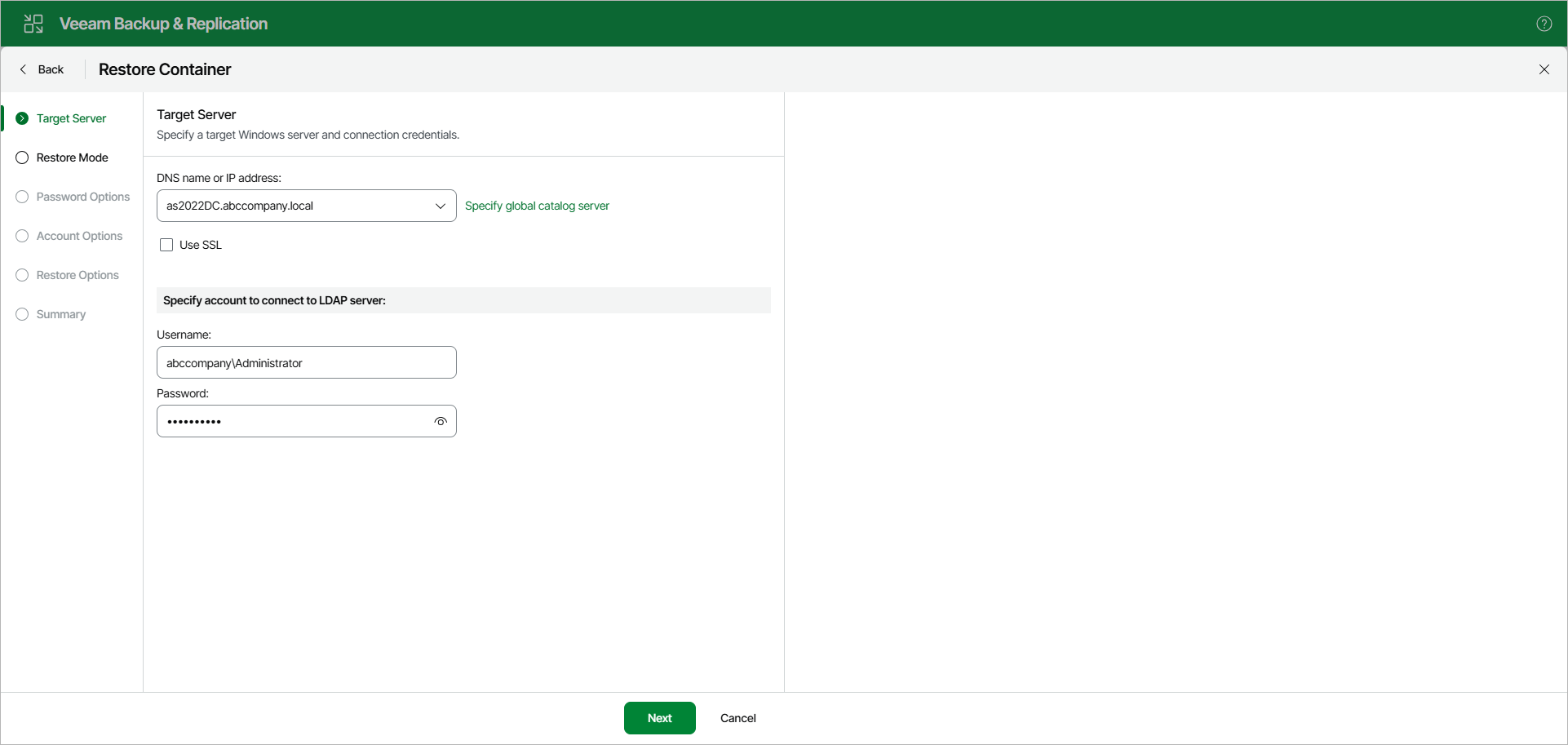
Global Catalog Server
To specify a Global Catalog server, click Specify global catalog server on the right side of the DNS name or IP address field and select either of the following options:
- Detect automatically — to automatically detect a server.
- Use the following server — to choose a server from the list.