Viewing Rescan Job Statistics
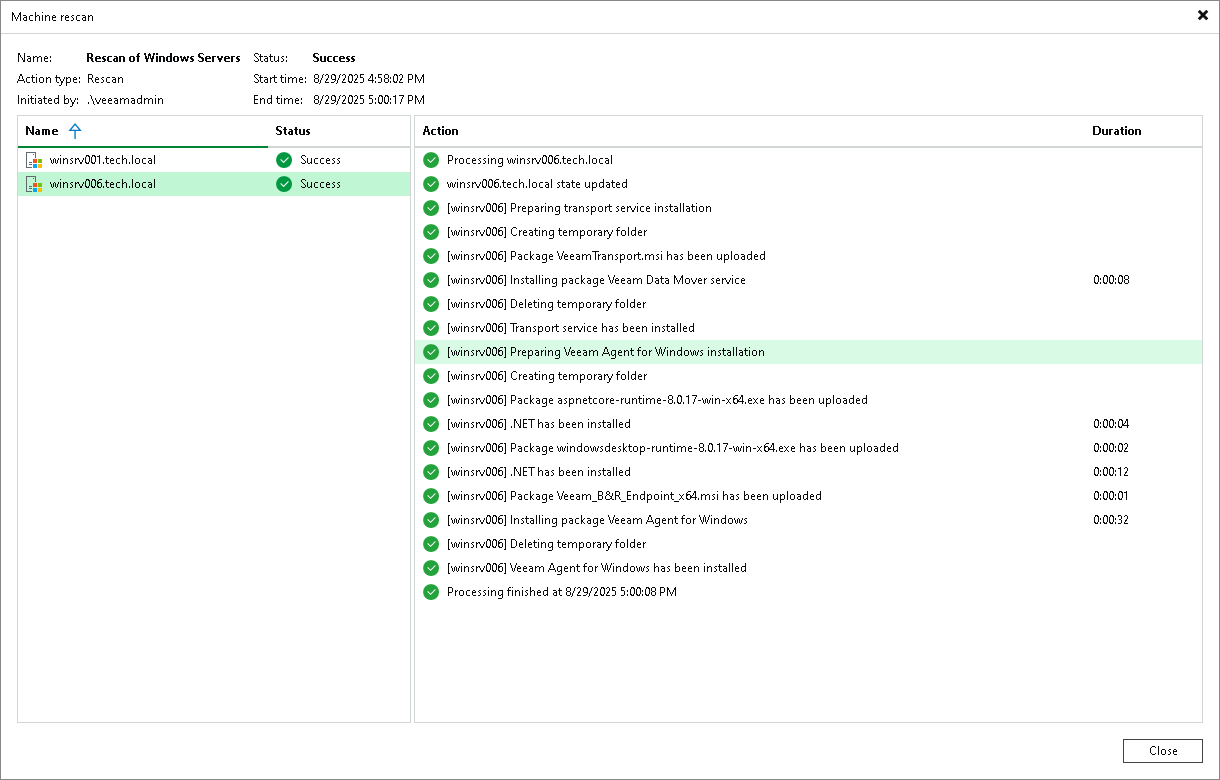
You can view statistics about performed rescan job sessions. When you create a protection group or manually start the discovery process for a protection group or individual protected computer, Veeam Backup & Replication displays statistics for the currently running rescan job session. The statistics window shows session duration details, a list of protected computers processed within the session, and the operations performed for each computer.
You can view rescan job statistics in one of the following ways:
Viewing Rescan Job Statistics Using Veeam Backup & Replication Console
To view rescan job statistics, do one of the following:
- Open the Inventory view. In the inventory pane, select the necessary protection group and click Statistics on the ribbon or right-click the protection group and select Statistics.
- Open the History view. In the inventory pane, select the System node. In the working area, select the necessary rescan job session and click Statistics on the ribbon or right-click the rescan job session and select Statistics.
In the Machine Rescan window, review the rescan results:
- The list on the left shows the protected computers processed within the session and the overall status for each computer.
- To view the operations performed for a specific computer and their duration, select the computer in the list on the left. The steps appear in the list on the right.
Viewing Rescan Job Statistics Using Veeam Backup & Replication Web UI
To view rescan job statistics in the Veeam Backup & Replication web UI, do one of the following:
- In the management pane, click Protection Groups. Select the necessary protection group and, from the Other drop-down list, select Statistics. Alternatively, right-click the protection group and select Statistics.
- In the management pane, click Logs & Events and open the Session Logs tab. Find the necessary rescan job session and click the link in the Status column. To learn more, see Viewing Logs and Events.
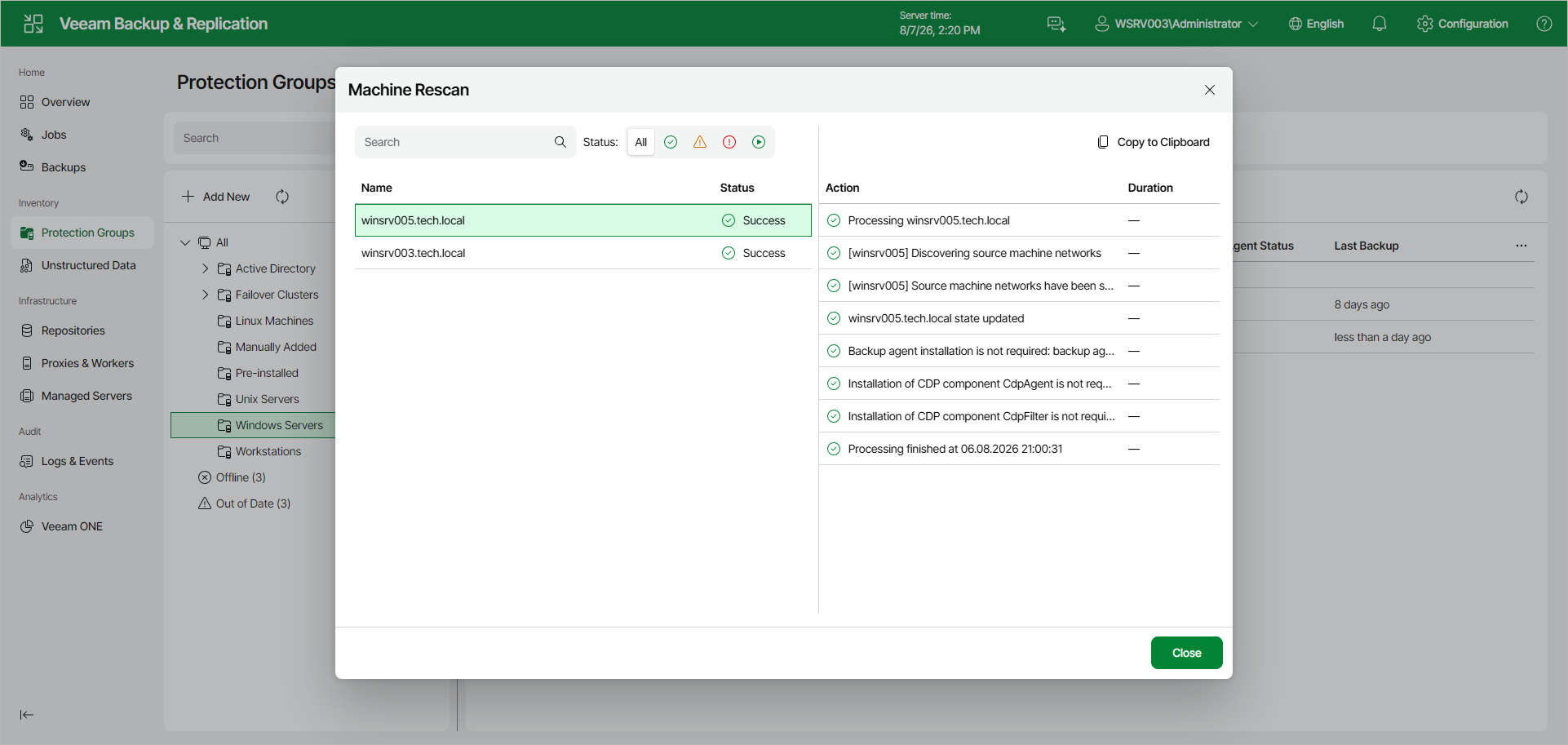
In the Machine Rescan window, review the rescan results:
- The list on the left shows the protected computers processed within the session and the overall status for each computer.
- To view the operations performed for a specific computer and their duration, select the computer in the list on the left. The steps appear in the list on the right.
- To filter the list of computers by status, next to Status, click one of the following: All, Success, Warning, Error, or In progress.
- To find a computer by name, use the Search field above the list.
- To copy the operations for the selected computer to the clipboard, click Copy to Clipboard.