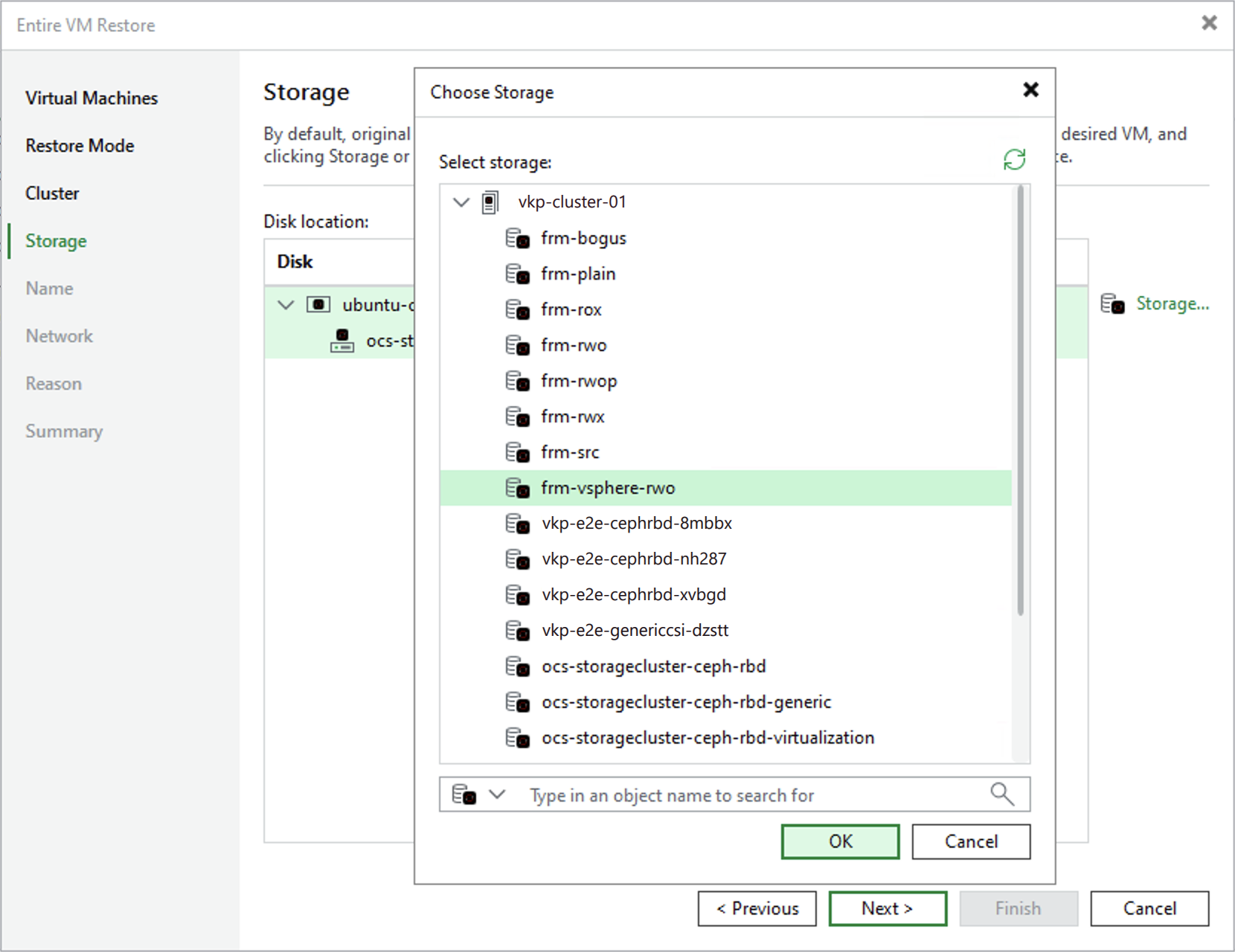
Step 5. Select Storage Class
[This step applies only if you have selected the Restore to a new location, or with different settings option at the Restore Mode step of the wizard]
At the Storage step of the wizard, choose a storage class where virtual disks of the recovered VM will be stored. For a storage class to be displayed in the list of the available classes, it must be created in OpenShift as described in Red Hat OpenShift Virtualization documentation.
When restoring a VM, Veeam Plug-in for KubeVirt creates a PersistentVolumeClaim (PVC) for each restored disk. Depending on the virtualization platform of the backed-up VM, Veeam Plug-in for KubeVirt does either of the following by default:
- For Red Hat OpenShift Virtualization VMs, Veeam Plug-in for KubeVirt creates PVCs with the original access mode.
- For all other VMs, Veeam Plug-in for KubeVirt creates PVCs with the ReadWriteMany access mode.
If an access mode is not supported for the selected storage class or if you want to change the default access mode, use the following annotation for this storage class:
|
vkp.veeam.com/restore-pvc-access-mode: <access-mode> |
Consider that the access mode must be specified in the format complying with the standard Kubernetes naming convention, for example, ReadWriteMany. For more information on on PVCs and their access modes, see Kubernetes documentation.