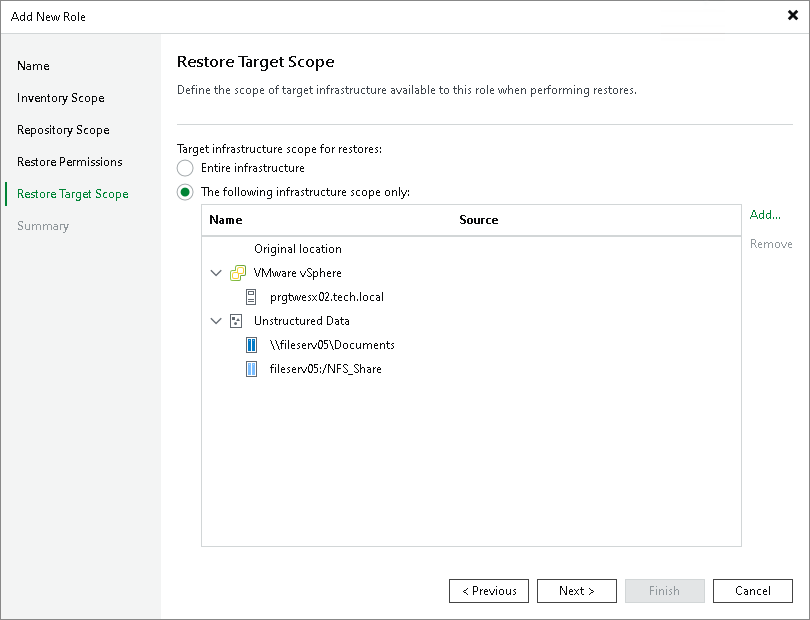
Step 6. Define Restore Target Scope
This step is available only if you selected the Manage restores check box at the Name step of the wizard.
At the Restore Target Scope step of the wizard, specify where users with this role can perform restores:
- Entire infrastructure — allows restores to any target that role-based scoping supports.
- The following infrastructure scope only — restricts restores to selected targets.
If you select the The following infrastructure scope only option, click Add and select the necessary objects. For an object to be displayed in the list, it must be added to the backup infrastructure. For details, see Backup Infrastructure Components.
|
Important |
|
Add every object required for the restore operation to the scope. Selecting a vCenter Server or a datacenter grants access to all objects below it, but selecting only a folder or a resource pool does not grant access to the host that contains it, and selecting a host does not grant access to its folders. The number of required objects depends on the restore type — for example, restoring a disk requires only the source VM, while Instant Recovery or entire VM restore requires a host, a folder and optionally a resource pool. |