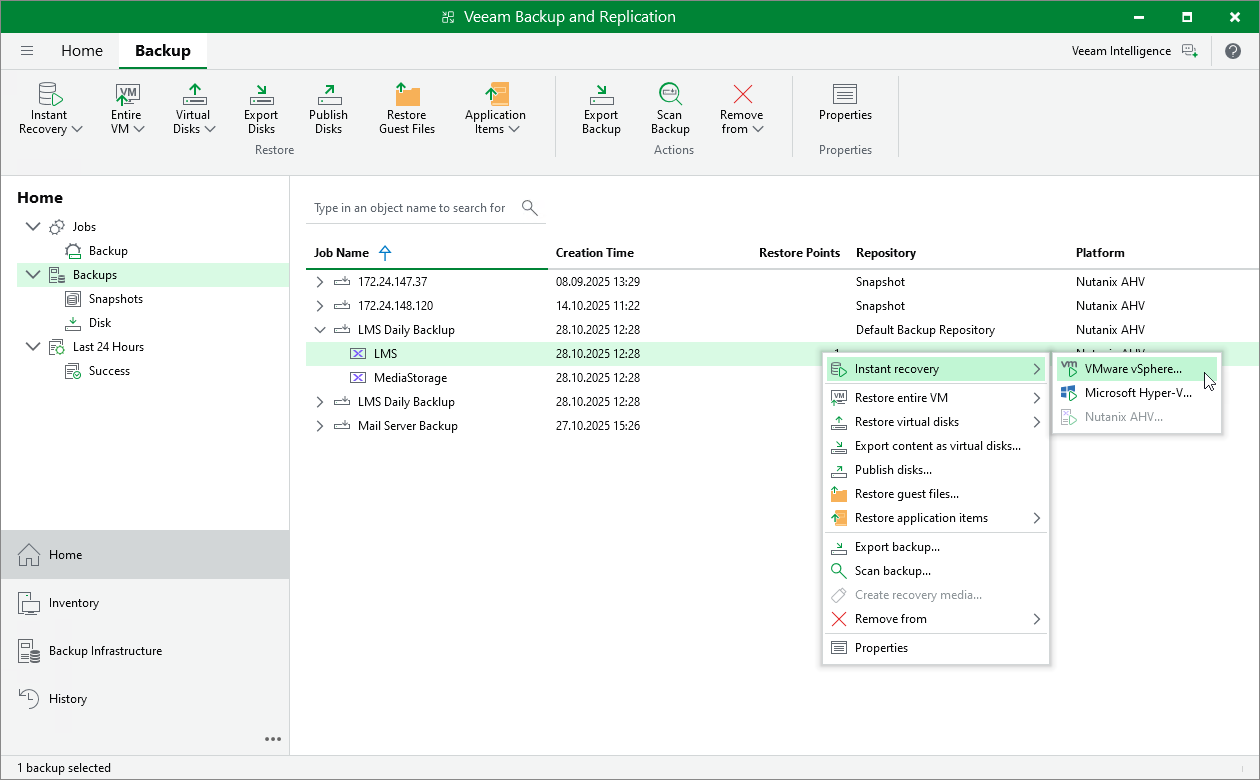
Instant Recovery of Workloads to VMware vSphere
To perform Instant Recovery to VMware vSphere environment, do the following:
- In the Veeam Backup & Replication console, open the Home view.
- In the inventory pane, select Backups.
- In the working area, expand the necessary backup job, right-click the VM you want to restore and select Instant recovery.
Alternatively, expand the necessary backup job, select the VM and click Instant Recovery on the ribbon.
- Complete the Instant Recovery wizard as described in section Performing Instant VM Recovery of Workloads to VMware vSphere VMs.