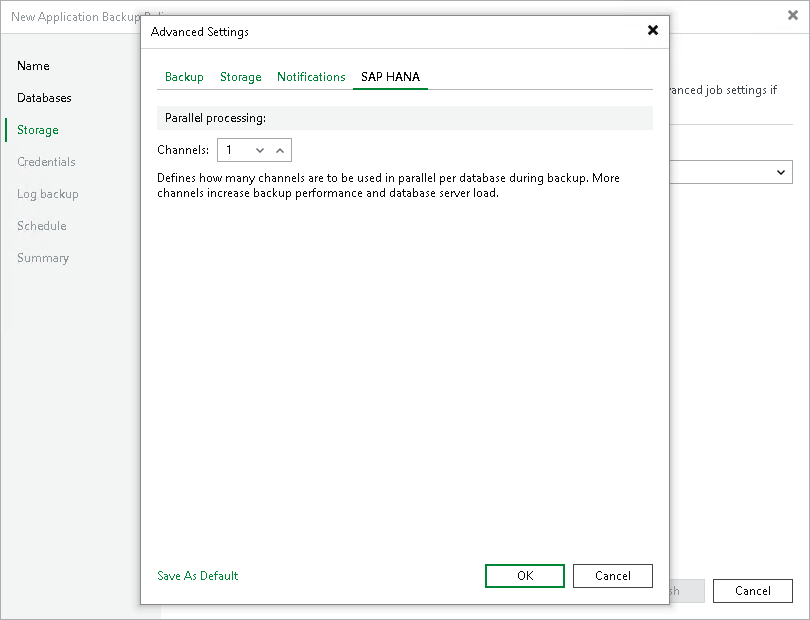
SAP HANA Settings
To specify SAP HANA settings for the backup policy:
- At the Storage step of the wizard, click Advanced.
- Click the SAP HANA tab.
- In the Channels field, specify the number of data channels that Veeam Plug-In will use in parallel to back up databases.
- In the Backup prefixes group, specify the prefix that Veeam Backup & Replication will add to the names of backup files on the SAP HANA side. Prefixes allow you to identify backups when you restore data with native SAP HANA tools.
- Select the Use the default prefix option if you want Veeam Backup & Replication to name backup files after the backup type. The default prefix is the %BackupType% variable, which resolves to COMPLETE_DATA_BACKUP for a full backup, DIFF_DATA_BACKUP for a differential backup or INC_DATA_BACKUP for an incremental backup.
- Select the Use custom prefix option if you want to specify your own prefix, and enter the prefix in the field. The prefix can contain only Latin letters, numeric characters, spaces, underscores and hyphens. You can use the following variables:
- %Date% — the backup start date in the YYYYMMDD format.
- %Time% — the backup start time in the HHMMSS format.
- %BackupType% — the backup type. Possible values: COMPLETE_DATA_BACKUP for a full backup, DIFF_DATA_BACKUP for a differential backup or INC_DATA_BACKUP for an incremental backup.
The maximum prefix length after the variables are substituted is 150 characters.