Canceling Instant Recovery
If you have finished working with the published database and you do not want to switch over to it, you can cancel the instant recovery session.
Note |
You do not need to cancel the instant recovery session if switchover is already performed. The session closes automatically after switchover. |
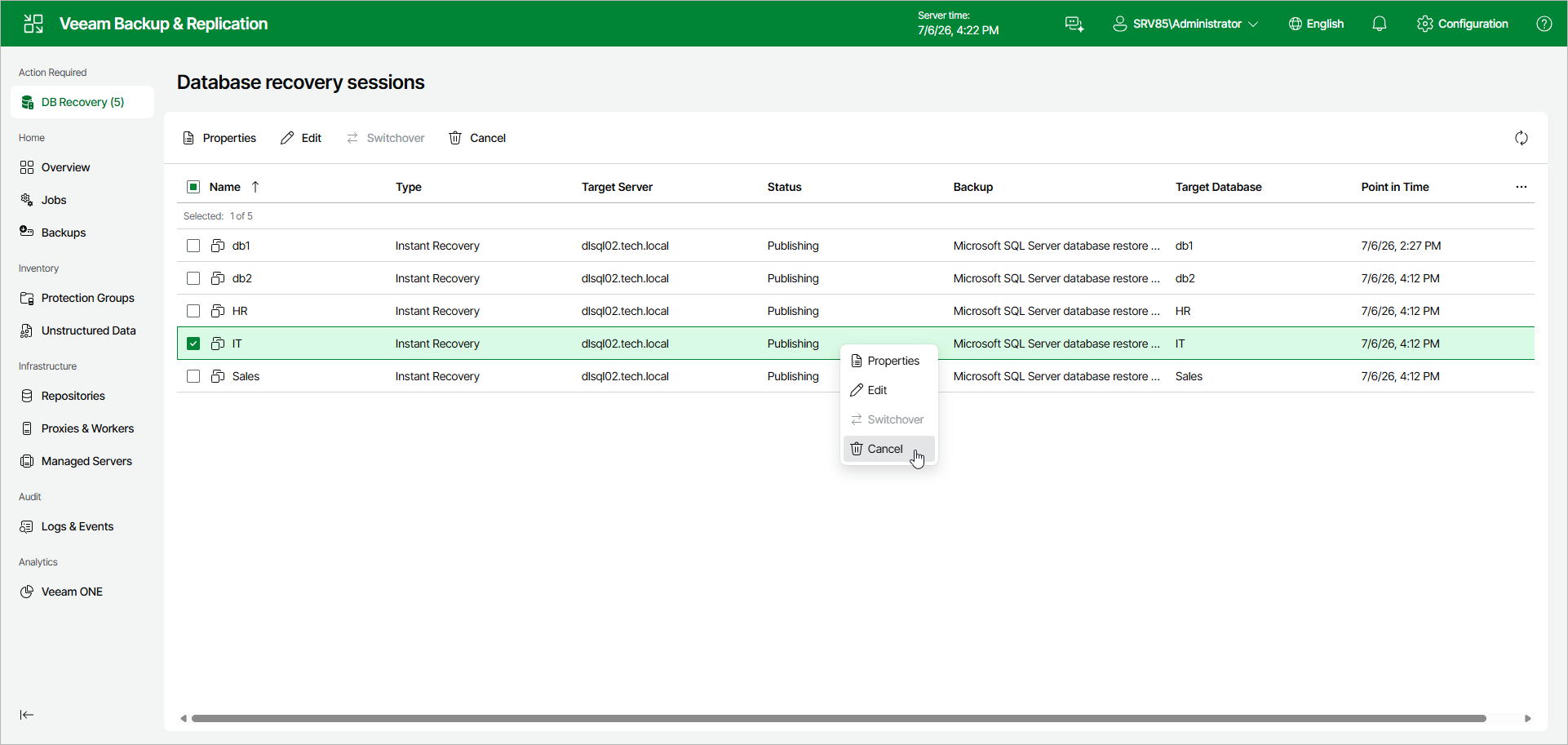
To cancel the instant recovery session, do the following:
- In the Database recovery sessions view, select an instant recovery session.
- Click Cancel.
Alternatively, right-click the session and select Cancel.